The Mac terminal that shows what your agent is doing
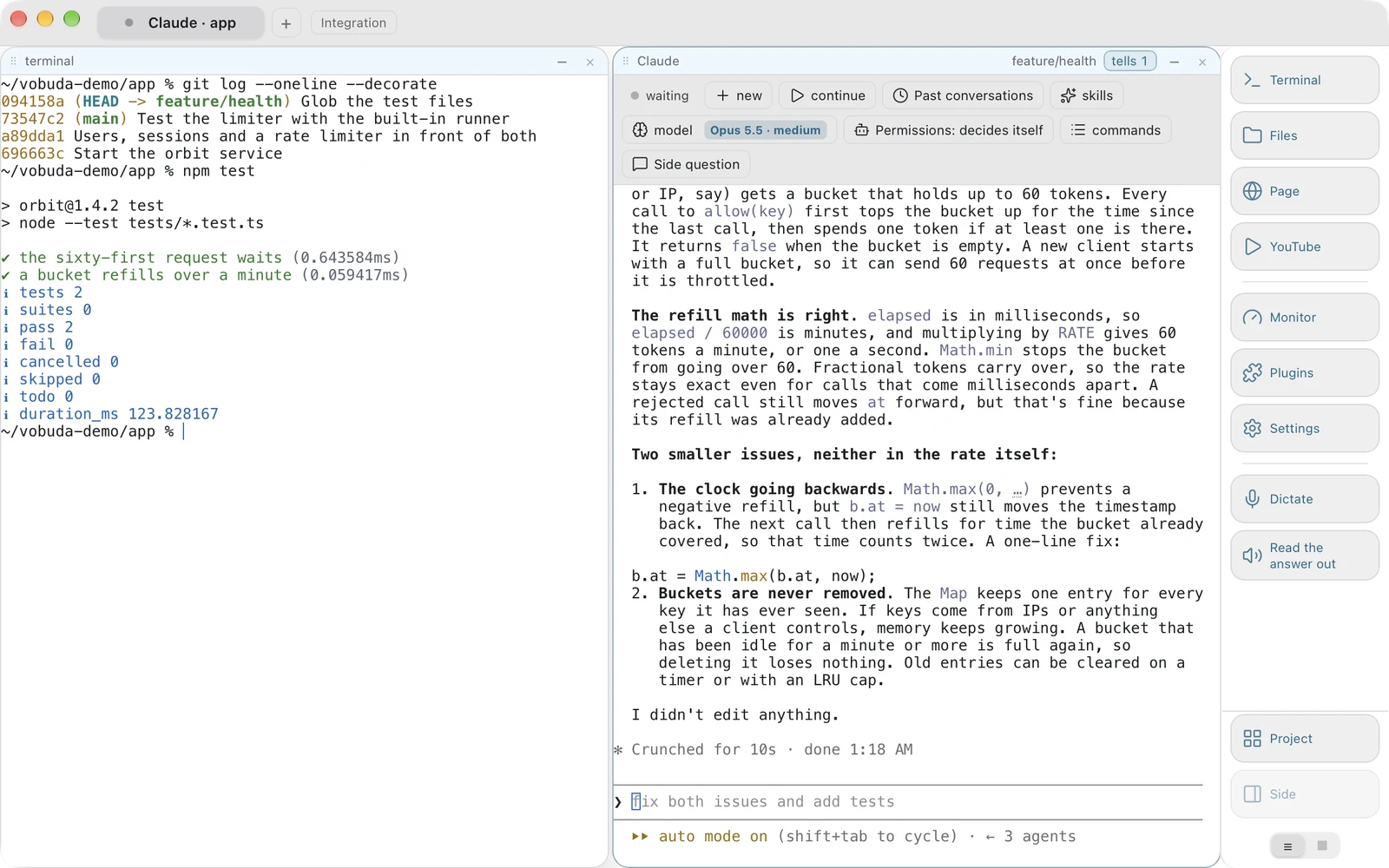
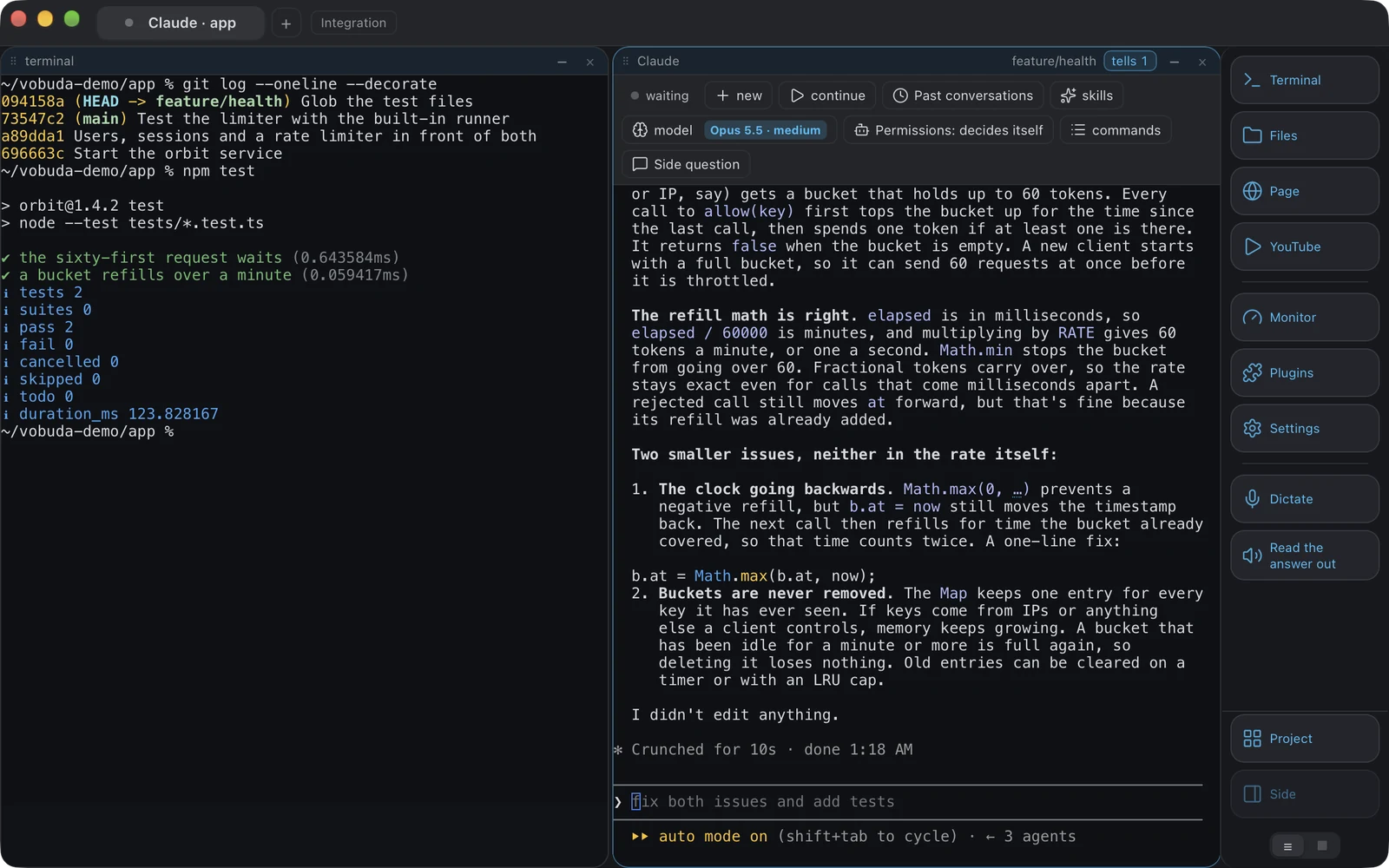
Claude Code and Codex get a bar with their model, effort, permission mode and past sessions as menus, instead of text scrolling past. Every setting is a file you can open. Free, no account, no telemetry, on macOS and Linux.
curl -fsSL https://vobuda.com/install.sh | sh - Free, forever
- No account
- No telemetry
- Signed by Apple
- 40 interface languages
- No account, ever
- 25 terminal palettes
- No telemetry
- 70+ actions on Cmd+K
- Signed and notarised by Apple
- 227 kinds of file coloured
- Free, for work and business
- 12 kinds of monitor panel
- One line to install and update
- 2000+ checks before anything ships
- macOS 10.15+ and Linux
What the best terminal for Mac has to do now
Terminals are either fast and bare or comfortable and closed. Neither noticed what is actually sitting in the window all day.
For twenty years the choice was straightforward. The fast terminals keep their configuration in files you own and stop at the shell. The comfortable ones add panels and polish, then ask for an account and put your history on somebody's server. You picked which half you could live without.
Then the thing sitting in the terminal all day stopped being a shell. It is an agent: Claude Code, Codex, a local model. And a terminal is the wrong shape for one. An agent has a model, an effort level, a permission mode, a session history and a state, and every bit of that arrives as text scrolling past, invisible the moment it scrolls. You end up reading three screens to work out which of your three agents is waiting on you.
Vobuda is the third answer, built on three decisions and everything that follows from them. Everything the program knows is a file you can read. Every action has one name, whichever way you reach it. The agent is a first-class citizen of the window. Around those, it does what people normally open three more programs for, because once a window knows how to hold a block it can hold any of them.
Three decisions, and the whole program follows from them
{ "theme": "tokyo-night", "look": "soft", "term": { "font": "JetBrains Mono", "fontSize": 13 }, "window": { "opacity": 0.96, "quakeKey": "cmd+`", "restoreSession": true }, "signals": { "done": { "sound": "Glass" }, "notice": true }} // Save the file. The window redraws. Nothing asks for a restart.{ "name": "Tokyo Night", "light": false, "app.bg": "#21222e", "app.fg": "#c0caf5", "app.accent": "#8db0ff", "term.bg": "#1a1b26", "term.fg": "#c0caf5", "term.cursor": "#7aa2f7", "term.black": "#15161e", "term.red": "#f7768e", "term.green": "#9ece6a", "term.yellow": "#e0af68", "term.blue": "#7aa2f7", "term.magenta": "#bb9af7"} // An excerpt. The whole file has all sixteen terminal colours, the selection and the tab strip.{ "cmd+k": "app.commands", "cmd+d": "block.split", "cmd+shift+d": "block.split-down", "cmd+shift+v": "voice.dictate", "cmd+shift+r": "voice.read", "cmd+shift+2": "block.to-tab:2"} // The macOS menu bar is built from this same file.{ "name": "Essentials only", "panels": [ { "kind": "cpu", "title": "PROCESSOR" }, { "kind": "mem", "title": "MEMORY" }, { "kind": "procs", "title": "PROCESSES", "rows": 10 } ]}These are the real files, in the real folder. Open one, change a line, save it, and the window redraws while it runs.
Every setting is a file
No database, no account, no hidden state. ~/.config/vobuda holds readable JSON, watched while the program runs: save the file and the window redraws. Themes, looks, monitor skins, dock buttons, agent descriptions, shortcuts, projects. Your settings folder can be a git repository, and it saves as one archive and restores on another Mac.
Five ways to one action
A button, a key, the macOS menu bar, Cmd+K and the command line all name the same action in one dictionary. Not five implementations, one. That is why an agent can rearrange your window with vobuda do block.split-down and you can read exactly what it did, and why the interface tests drive the whole program through its own command line.
The agent describes itself
Sessions come from the agent's own files. Models come from its own installation, or from its own picker in Codex's case. Effort comes from the model in use. Claude Code's permission mode is read off its screen and changed by pressing its own key. Nothing here is our list of somebody else's models, because that list goes stale the day a new model ships.
Vibe coding, with the controls where your hand is
If you spend the day handing work to an agent and reading what comes back, this is the part that changes.
-
Claude Code's slash commands, as a menu
Its built-in commands, /compact, /clear, /model, /effort, /cost, /context, /resume, /rewind, /memory, /agents, /mcp and /status among them, each listed with what it does, in your language. An agent draws its own menus with arrow keys, where a mouse cannot reach them at all. These are ordinary drop-downs, drawn by us, over the agent that is running.
-
Every skill this folder actually has
Grouped by where it came from and counted: your own, your team's, whatever a plugin brought. Sixty skills across six sources is a list you can look through instead of a name you have to remember. Claude Code's skills come from ~/.claude/skills and the matching folder inside the project.
-
Past sessions by their first line
Read from the agent's own files, with the time each one ran. New starts one, continue picks up the last, and any older one opens by its first sentence, which is how a person actually remembers a conversation.
-
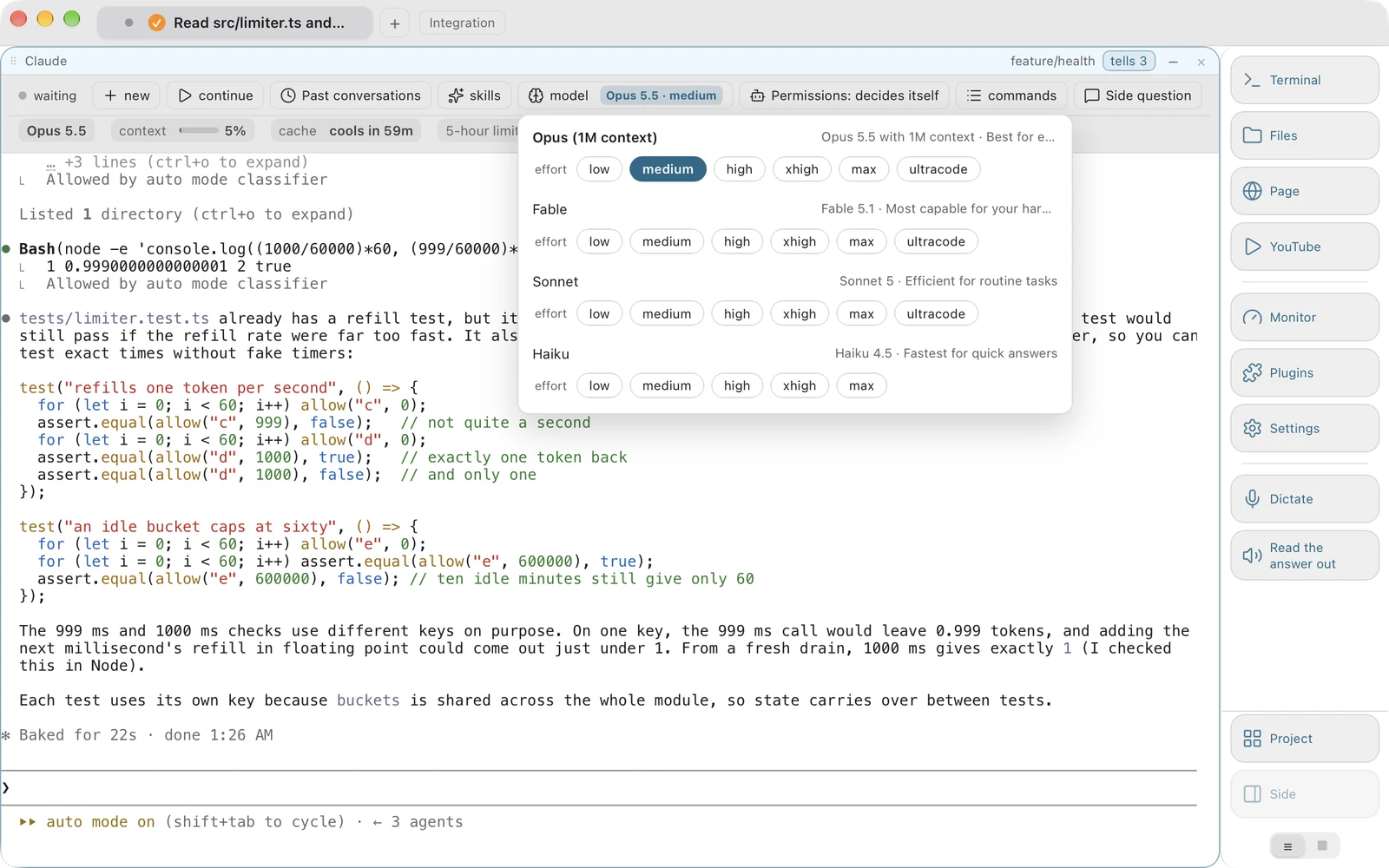
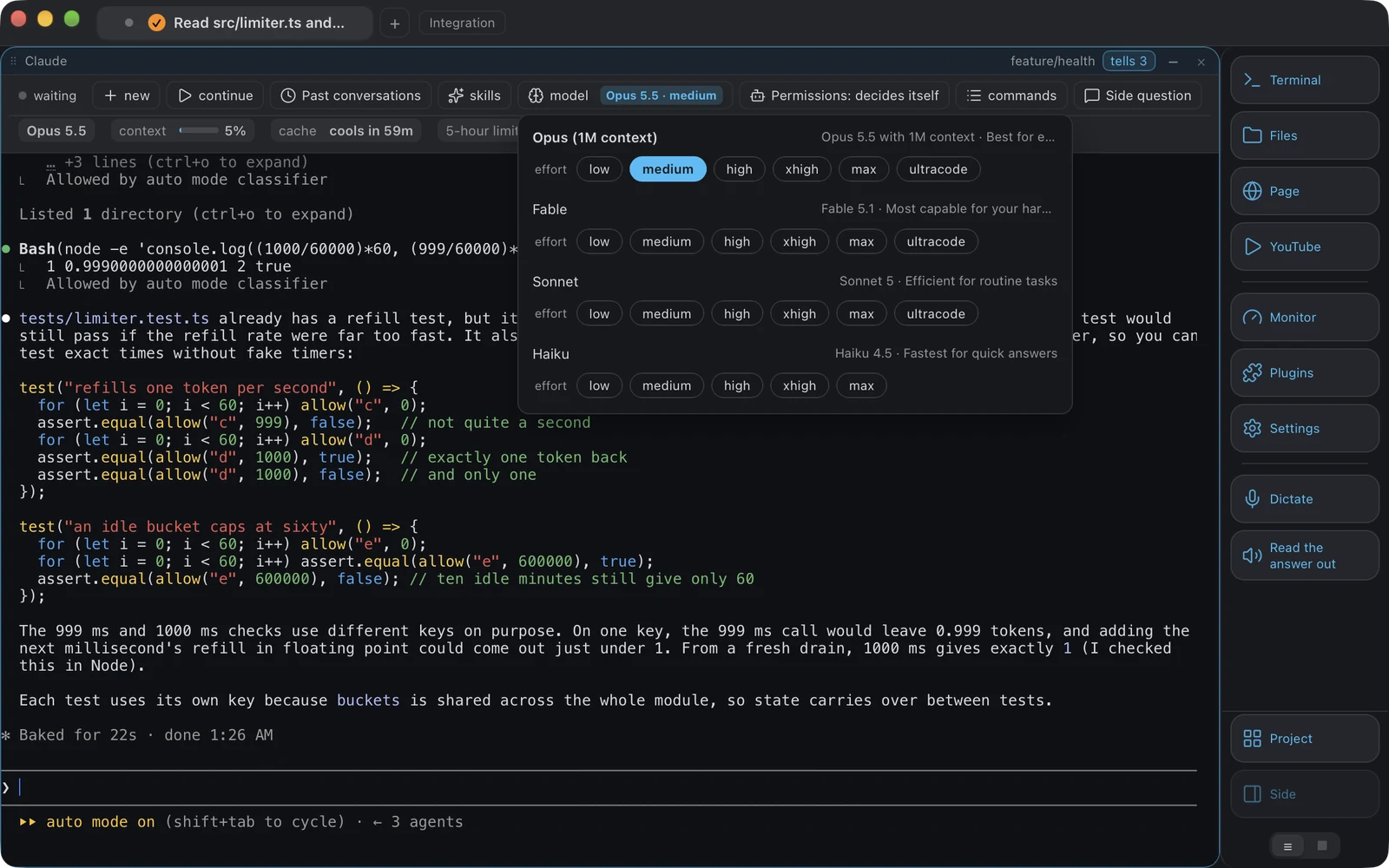
The models your account can use
Opus with the million-token context, the models Claude Code last heard your account can use, then Sonnet and Haiku, each with the effort levels it supports. Both buttons carry the value rather than the word model, because it is read off the agent's own status line and a belief of ours would be stale the moment you changed it inside the agent.
-
What it may do without asking
Claude Code's modes: decide for itself, accept edits, ask before every step, plan only. Read off its own screen and changed by pressing its own key as many times as it takes, rather than being a setting of ours that could quietly disagree with the truth.
Everything it can do, in one list
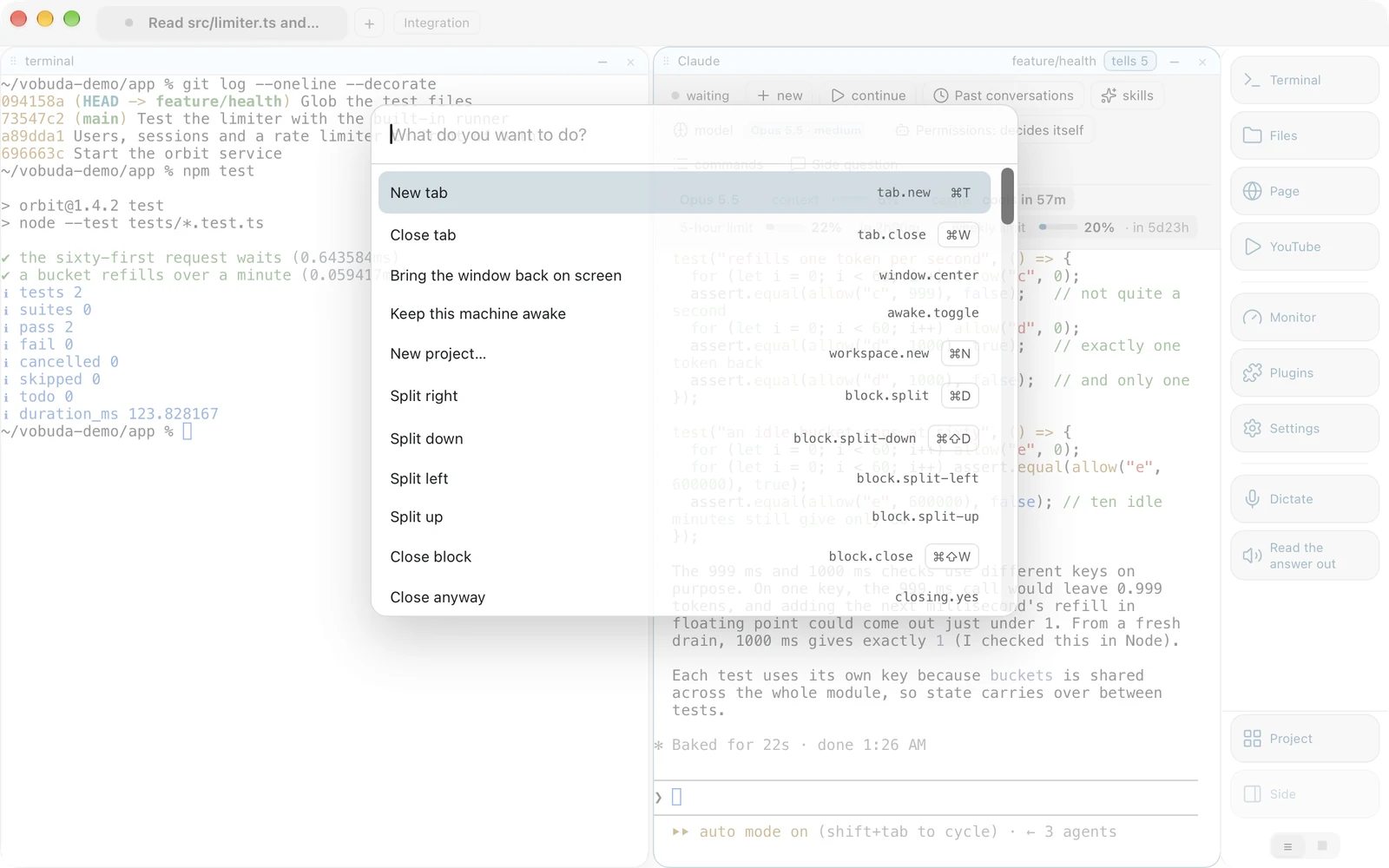
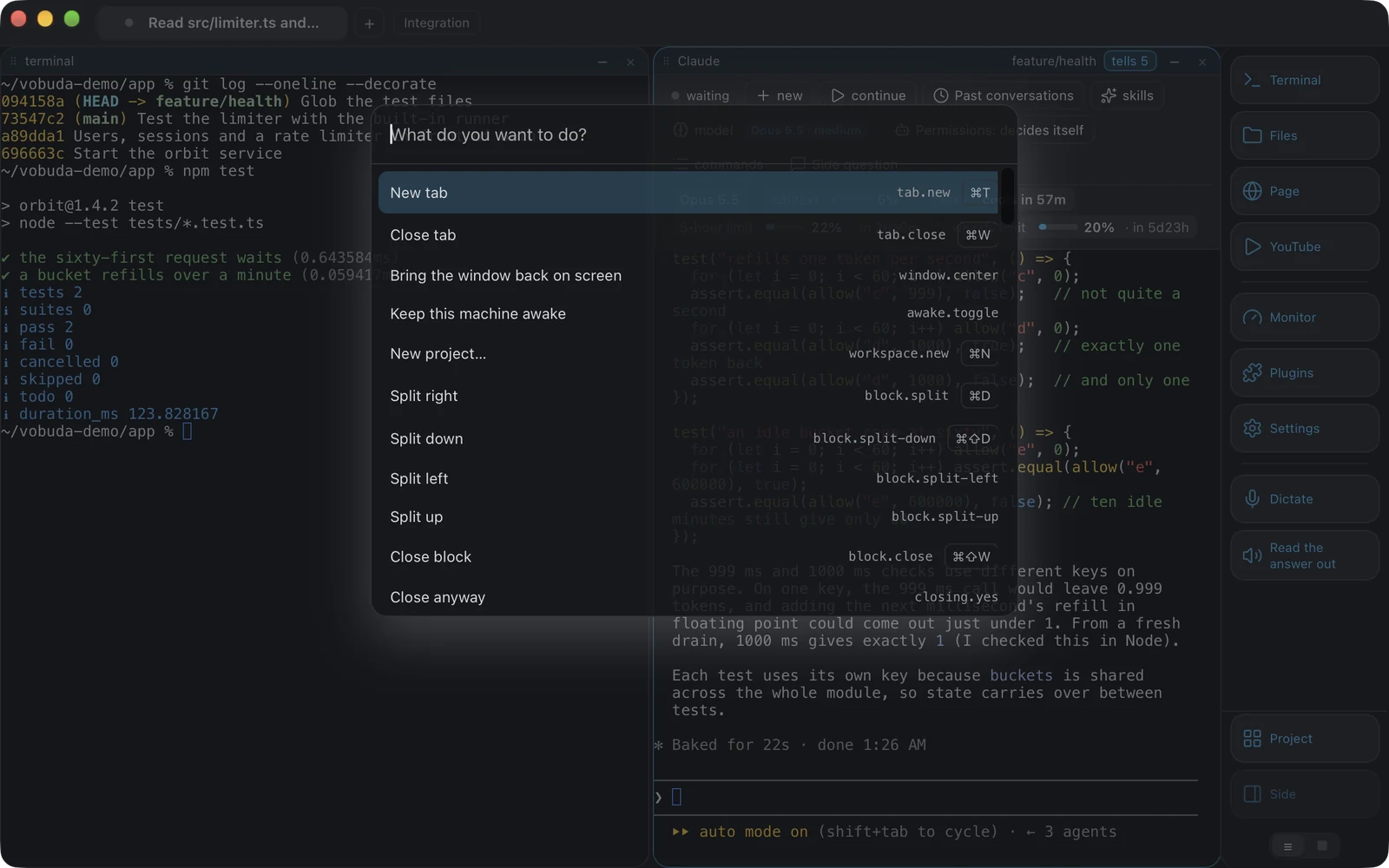
With this many actions, most of a program is in practice hidden. Cmd+K is the way that answers “what can it do” rather than “do this”.
-
It teaches the keys rather than replacing them
Every line shows its own shortcut. Somebody who reaches for the list twice for the same action has learnt the key by the third time.
-
It is not a fifth dictionary
Every line runs an action by name, exactly as a button, a key, the menu bar and the command line do. A check holds the table it draws to the core's list in both directions: an action that exists and is not offered there fails the build.
-
The same set drives the tests
The interface tests run the whole program through that dictionary rather than through a private hook. That is why the command line can be trusted, and why an agent can rearrange your window and you can read exactly what it did.
The same names work with no window at all
Every action has a name, and the name is the whole interface. A key, a button, the menu bar, the command list and the command line reach the same dictionary, so anything you can do by hand can be written down.
-
No port, nothing to configure
The command line drops one small file into the settings folder and the window picks it up. There is no port to open and nothing to configure before the first command works.
-
Which is why an agent can drive it
Claude Code running in a block can split your window, switch the theme, open a file beside itself and tell you what it did, using the same names you would have typed. It needs no privileged hook, because there is not one.
-
And why the window can answer questions
Typed in any vobuda block,
vobuda stateprints what is actually open as JSON: the tabs, the blocks in them and what runs in each, and the theme. A script that wants to put your morning layout back reads that and replays it.
      ~/dev/vobuda❯vobuda state
      {"tabs": [{ "title": "site", "blocks": [{ "agent": "claude", "cwd": "/Users/you/site" }] }], "theme": "tokyo-night", …}

      ~/dev/vobuda❯vobuda do block.split-down
      # the same name the key presses and the menu bar item

      ~/dev/vobuda❯vobuda theme catppuccin-mocha
      # the window redraws; the file it read is yours to edit

      ~/dev/vobuda❯vobuda where
      /Users/you/.config/vobuda
    ~/dev/vobuda❯
What happens while you are not looking
While you were away
Every time an agent stops, one line is kept: which block, what it was asked, when it finished, how long it took. Grouped by block, newest first, with a mark down the edge of what you have not seen. The request is read off the agent's own screen and left empty when it cannot be read, because a guess in a record is worse than a gap. Fifty are kept, per window, so “while I was away” includes “while I was asleep”.
A usage limit, and a Mac that wants to sleep
When Claude Code stops on a usage limit and has not started waiting by itself, the bar offers one button that opens Claude Code's own menu for the limit, where waiting and carrying on is yours to pick. Vobuda sends nothing of its own. Separately, you can keep the Mac awake for a time you choose, from half an hour to twelve hours, from the settings or one action, and a badge on the tab strip shows the hold and lets it go.
Signals you can act on
An agent that finished, or is waiting for permission, pulses a badge on its tab, plays a sound you chose and posts a system notice when Vobuda is not the window in front. It clears on your first action in the window, a click, a key or a scroll, not on the cursor merely passing over the badge.
Drop a screenshot on it
Drag a file out of Finder onto a block and its path is typed there, quoted and ready to run. Drop a screenshot or any image onto the block where the agent is running and the agent gets the picture, which is exactly how Claude Code and Codex want to be handed one. Drag it straight from the thumbnail in the corner of the screen; nothing has to be saved first.
A system monitor, in the same window
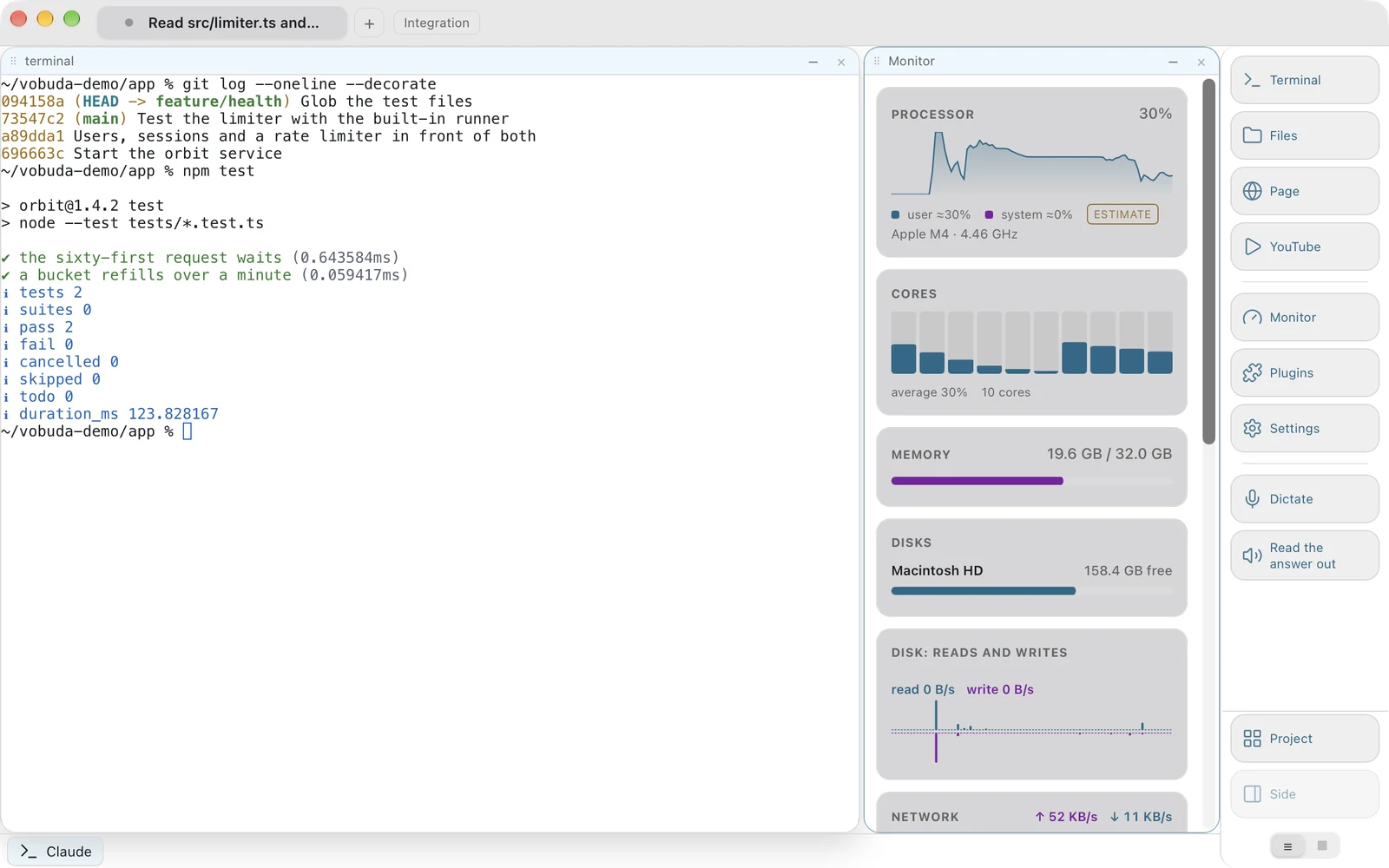
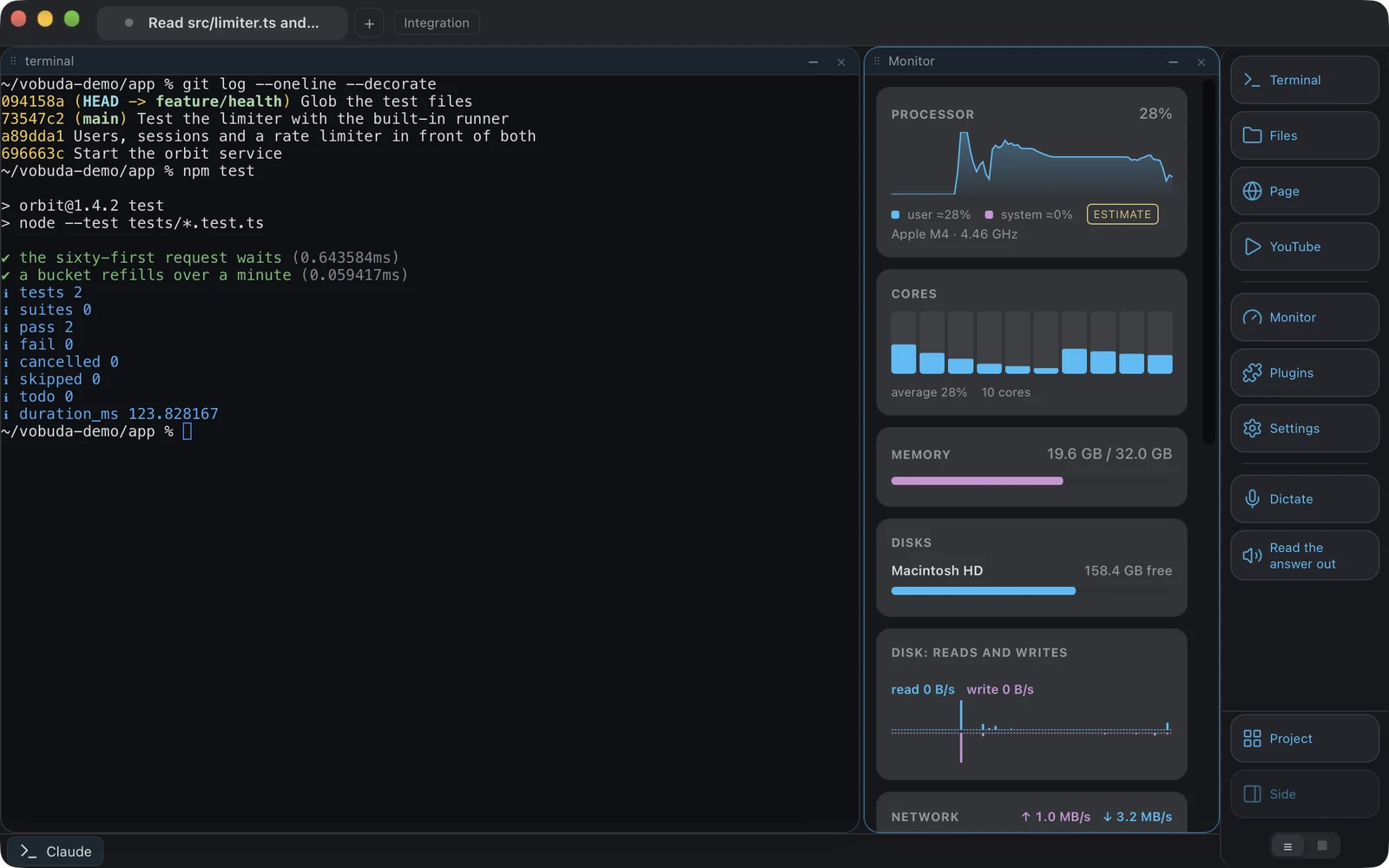
Twelve kinds of panel, and which of them you see is a file rather than a screen somebody designed once.
-
The numbers are honest about themselves
A value the system estimates rather than measures is drawn with a tilde, and absent hardware gives an absent value rather than a zero. A machine with no discrete GPU does not get a GPU panel reading nought per cent.
-
Both addresses, with a copy button on each
The panel names the address the internet sees first and the one this machine has on its own network below it. It asks only while the panel is on screen, about once every ten minutes, or every thirty seconds while no address is known yet, and the request carries nothing about the machine.
-
Arranged by dragging
The monitor's panels, the dock's buttons and the agent bar's parts are all picked up and put where they go with the same gesture, and a row is picked up by the grip on its left so a drag never steals a word you meant to select.
What leaves your machine
Almost nothing, and each of these is worth naming plainly rather than burying in a policy.
| What | Where it goes |
|---|---|
| Your speech | Recognised on the machine by the system's own framework, with on-device recognition demanded rather than preferred. A language that would need the network is refused, with instructions for installing it locally. |
| Your files, settings and history | Stay on the machine. There is no account and no sync of ours. The one copy that leaves is the settings copy a Mac keeps in iCloud Drive, on by default, through Apple, with one switch to turn it off. |
| Faults | Recorded where they happen, scrubbed before they are written, and sent nowhere until you turn it on. Then at most once a day, to our receiver, with a random number for this machine and never its name. |
| Once a day | Whether vobuda has a newer version, from vobuda.com or GitHub; whether Claude Code and Codex do, from npm; and the add-on catalog. |
| The address panel | While it is on screen, about one request every ten minutes asking what address the internet sees. |
The last two carry nothing about you or the machine. One more request, made on a Mac with Claude Code every five minutes while an agent bar is on screen, asks Anthropic for your account's limits with the sign-in Claude Code keeps in your Keychain; the token goes to Anthropic only. There is no analytics and no usage report, not as a setting you can switch off but as code that does not exist. The privacy page lists every request.
A Mac terminal that keeps every setting in a file
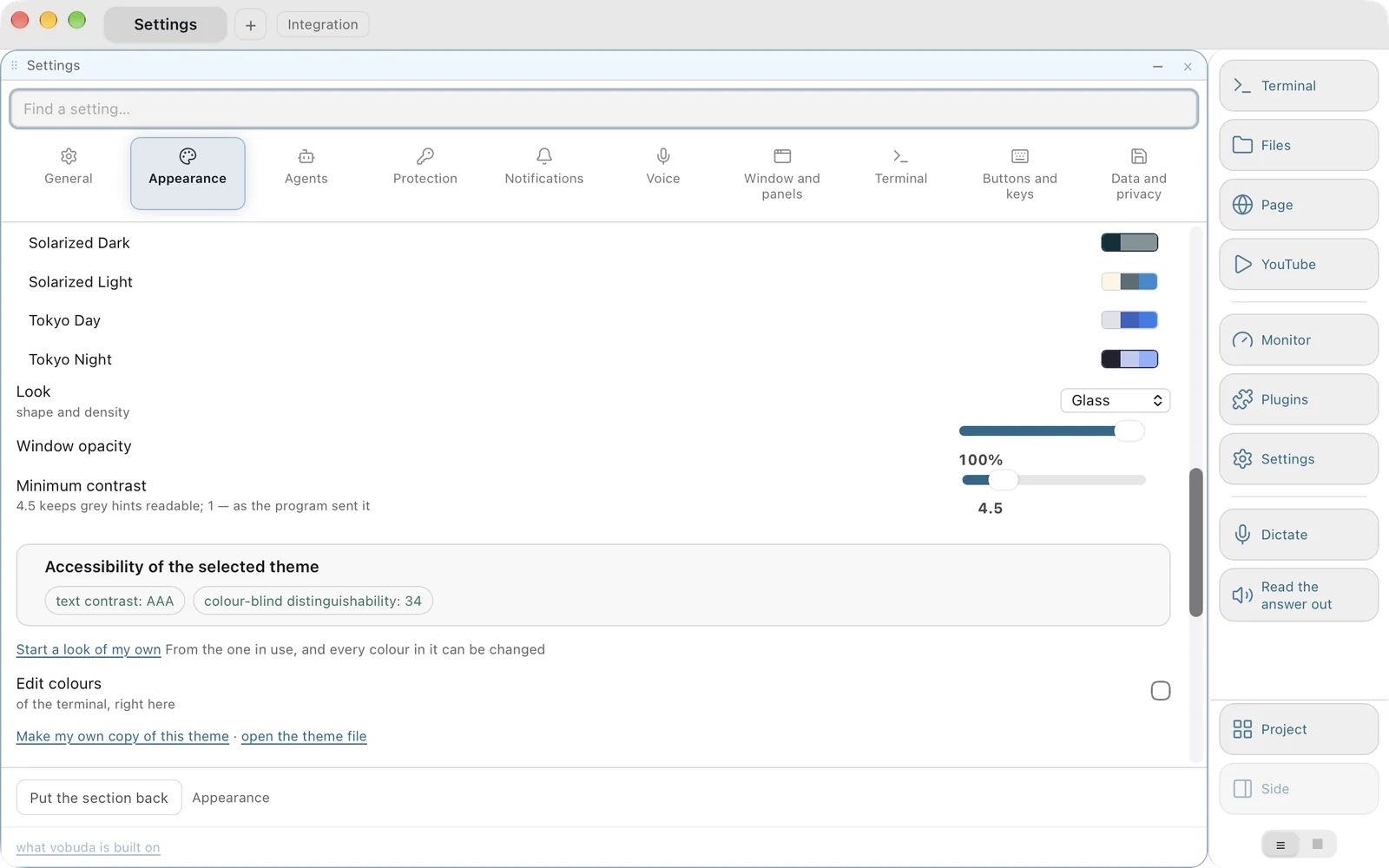
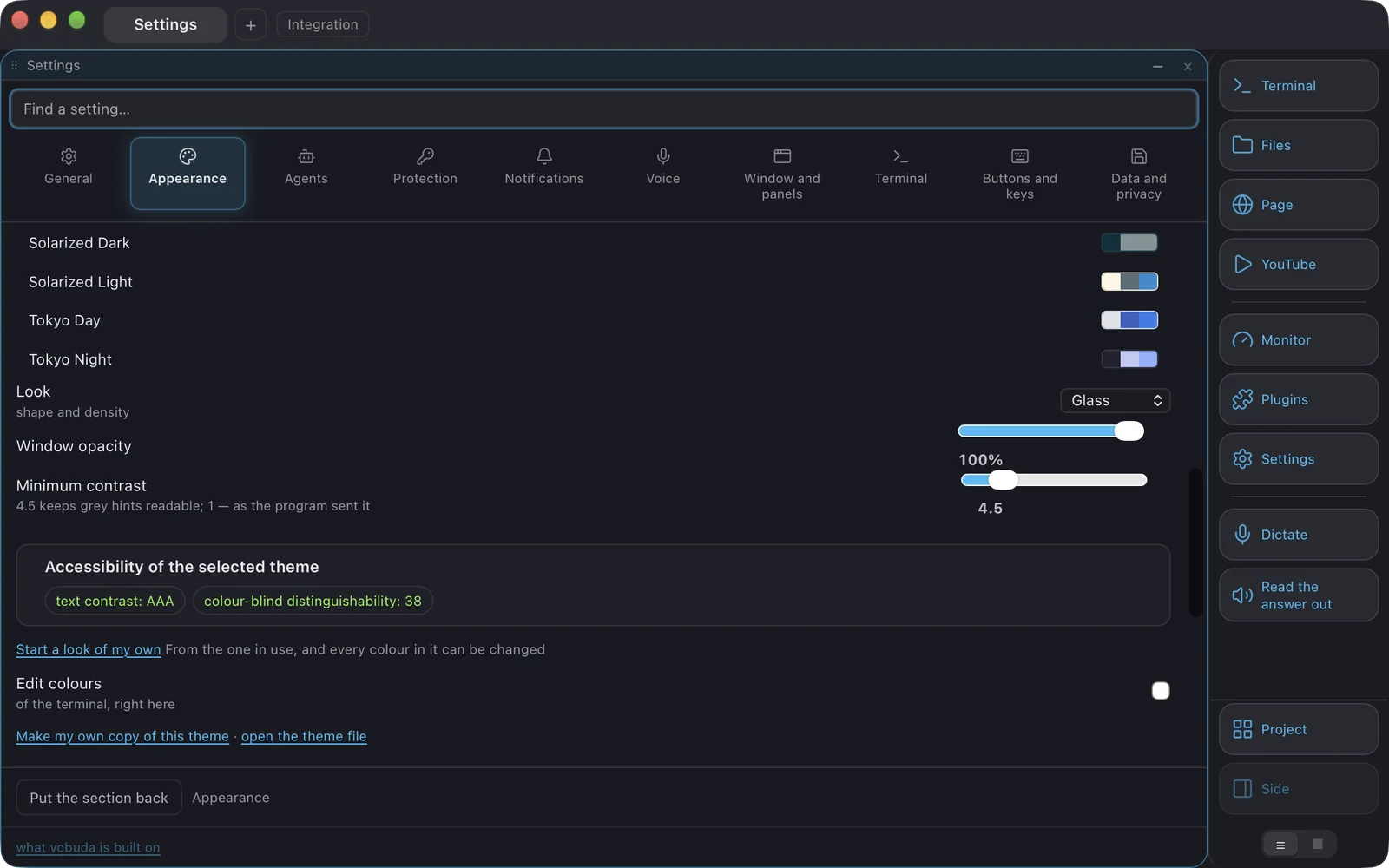
Built-in themes live inside the binary and the settings folder overrides them, so an update brings new colours without overwriting anything you edited. Twenty-five terminal palettes ship, two of them built for colour vision deficiency and checked by a test that simulates three forms of it before they go out. The theme picker states the contrast of the theme you are choosing and how distinguishable its colours are to a colour-blind reader, because a theme that cannot be read is not a theme.
Twenty-nine window looks decide the shape of the window rather than its colours: corners, shadows, panel colours, transparency, and whether the dock is drawn at all. Make one of your own with a button, from whichever look is in use, and it becomes a file in your looks folder like any other. Anything a look paints, the next look hands back, because a colour you cannot take off is a colour nobody should be able to put on.
Nothing asks for a restart. Ever. The settings folder is watched, and that now includes the two things the core owns, the macOS menu bar and the global key of the drop-down window. A check reads every hint in the settings screen and fails the build on the word restart.
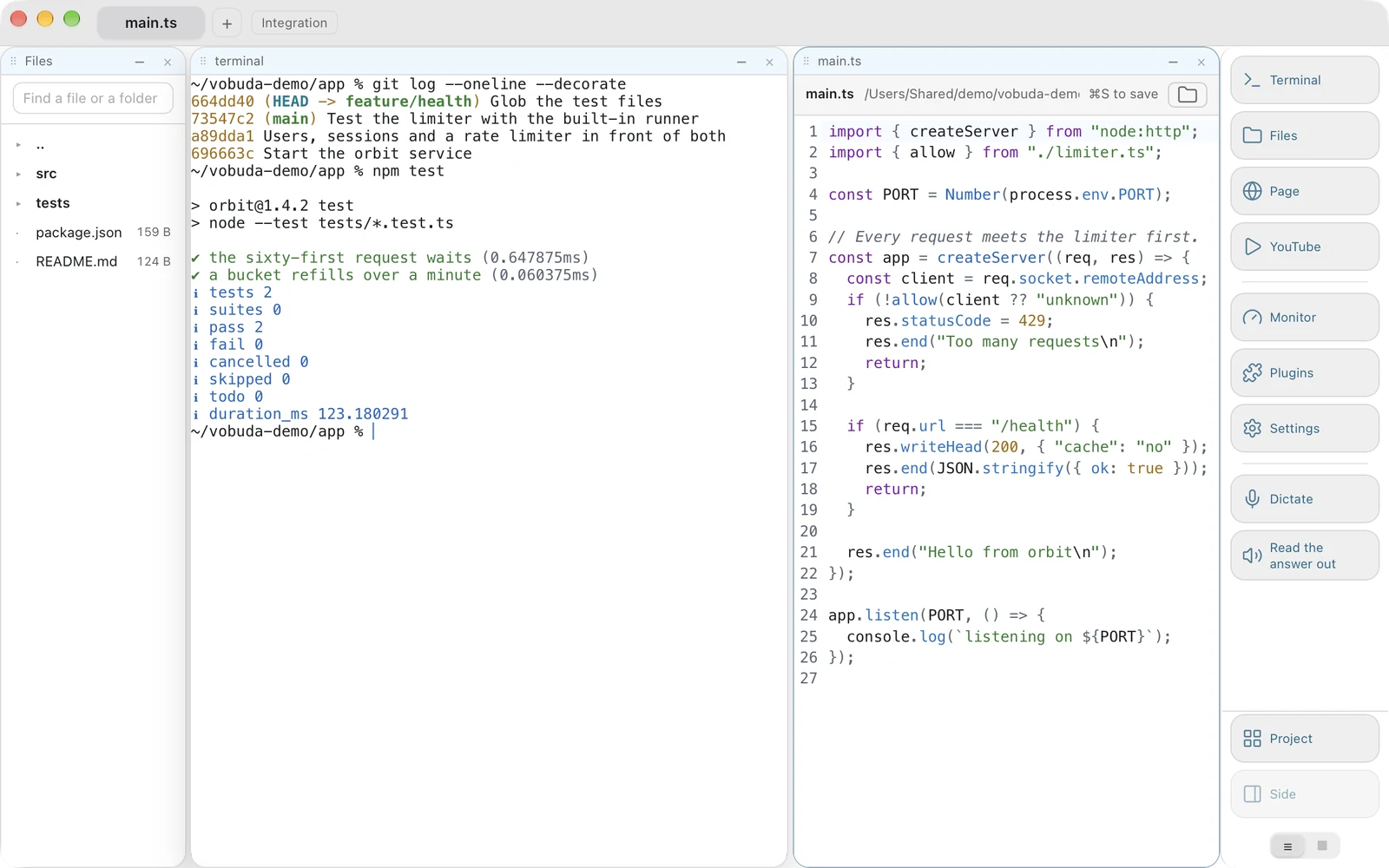
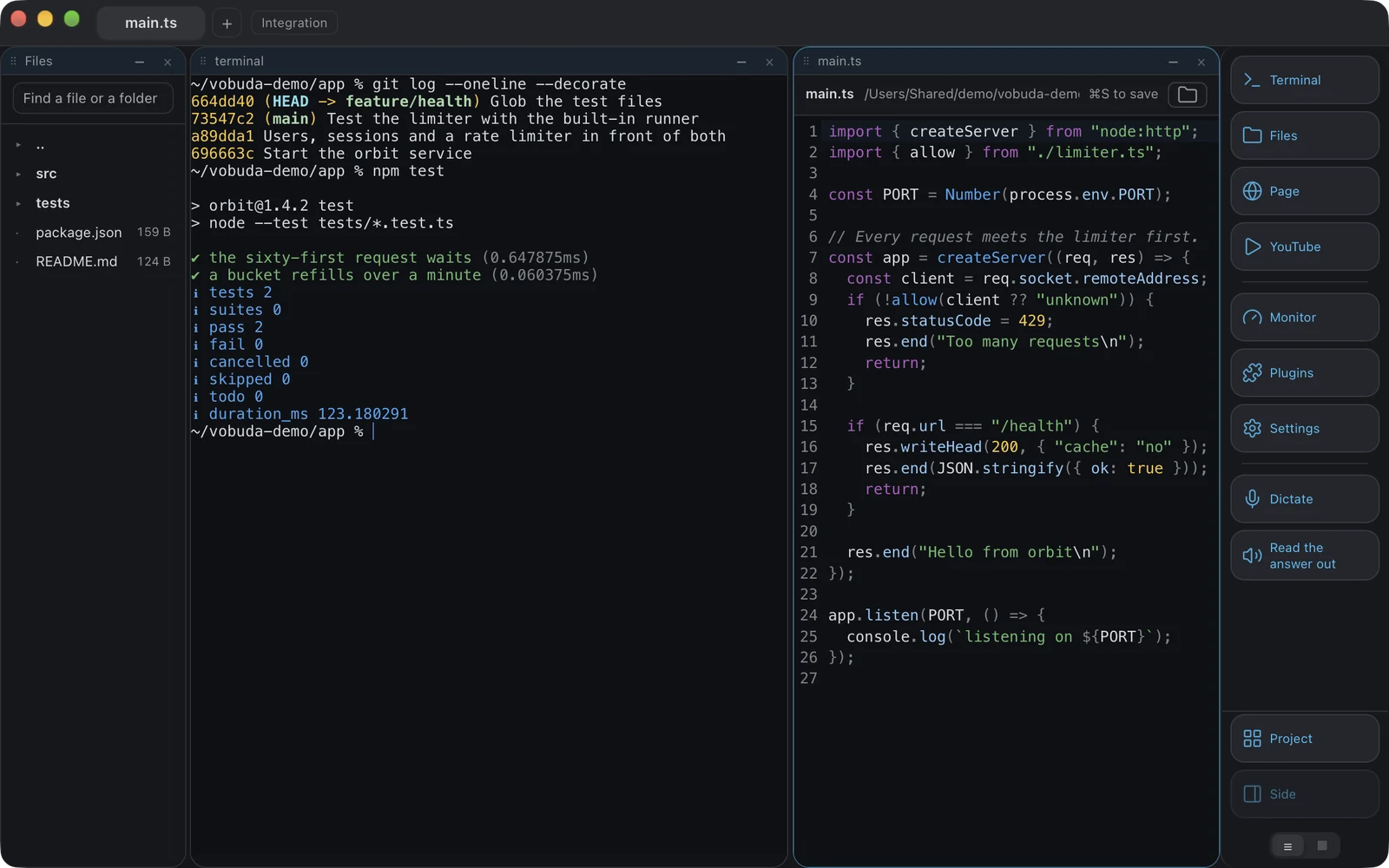
A file opens beside the shell
A path appears in the output, two lines need changing, and until now that meant leaving for an editor and coming back with the shell's context lost.
-
Saving is deliberate
Nothing is written until Cmd+S. An editor that writes as you type is a fine thing in a notes app and a bad one next to a shell that is running.
-
The refusals matter as much as the writing
A file changed on disk since it was opened is not overwritten. A binary is not shown as mangled text. A folder is not opened at all, and closing an edited file asks.
-
Finding a file
Search by name below the folder you are standing on, and each result says which two folders it sits in, because a name alone cannot tell two index.ts apart. It skips node_modules, .git and their like, and does nothing at all under two letters.
Colour you can actually read
Twenty-five palettes, twenty-nine window looks, and a picker that tells you the truth about both.
-
Two palettes built for colour vision deficiency
Checked by a test that simulates three forms of it before they ship. A theme that cannot be read is not a theme.
-
A look you make yourself
Start from whichever look is in use, edit its colours in the section itself, and it becomes a file in your looks folder like any other. Anything a look paints, the next look hands back.
-
Nothing asks for a restart
Ever. The settings folder is watched, including the macOS menu bar and the drop-down window's global key, which the core owns. A check reads every hint in the settings screen and fails the build on the word restart.
And everything else a window has to hold
A block is a block. Once the window knows how to hold one, it holds any of them. What is too large to belong to everybody comes as an add-on from vobuda's own catalog, installed and removed whole in one press: Design, to point at a live page and say what to change, and Director, a manager that holds a meeting, hires the agents a job needs and hands you the result.
A file open beside the shell
Colouring for 227 kinds of file, taken from the terminal's own theme so an open file looks like it belongs next to the shell that named it. Search across the whole project, a file opened by typing part of its name, several cursors. Nothing is written until Cmd+S, a file changed on disk underneath you is not overwritten, and a binary is refused rather than shown as noise.
Everything it can do, in one list
Cmd+K opens every action as a list you can type at. The letters match in order, so “spld” finds “Split down”, and every line shows its own shortcut, which is where the keys get learnt. A check holds that list to the core's dictionary in both directions: an action that exists and is not offered there fails the build.
A quake window
Set one global key and the terminal drops from the top of the screen; the same key hides it and gives focus back to wherever you called it from. No key is set until you choose one.
A web page as a block
A page opens in the layout like anything else, with its own address bar, bookmarks and home page, and it comes back with the session. Where an agent's browser opens is yours to decide.
Read the answer back
On a Mac, Cmd+Shift+R reads the agent's last answer out loud through the system's own voices. What is read is the answer, not the screen: the furniture, the spinner and the hint bar are skipped, a path becomes its file name, and the reading stops at the command that produced the answer.
Projects
A project is a window with its own tabs, its own folder, its own theme and its own dock, kept as a file in the workspaces folder and opened from the settings, the menu or the command line.
At a glance
- Platform
- macOS 10.15 and newer, one package for Apple silicon and one for Intel, and the install line picks the right one; Linux as a .deb or an AppImage for Intel/AMD and ARM
- Price
- Free, for personal and commercial work alike
- Account
- None
- Built on
- Rust, Tauri 2, React 19, xterm.js, drawn as text by default with GPU rendering as an option
- Settings
- Readable JSON in ~/.config/vobuda, hot-reloaded, in ten sections with a search over every setting
- Interface
- 40 languages, right-to-left included, with a guide in each
- Themes
- 25 terminal palettes, 29 window looks, monitor skins of your own
- Install
- On a Mac, one line, with no password on a fresh Mac; on Linux, a .deb or an AppImage
- Signature
- Apple Developer ID, notarised and stapled
- Source
- Not published. See the licence
Questions people ask before they install it
Is Vobuda free?
Yes, and for commercial work as well as personal. There is no trial, no paid tier and no account to make. What the licence does not allow is handing the program on: distributing a copy, selling it, offering it as a service or taking it apart.
Is Vobuda open source?
No. It is free of charge and closed: what is handed out is the build, and the source is not published. The public repository carries the README, the changelog, the licence and the figures on this page.
Will macOS warn me when I open it?
No. The build is signed with an Apple Developer ID and notarised, and the installer is stapled, so a Mac that has never seen it opens it without a word. Earlier versions were signed with our own certificate and did warn; that ended at 0.1.1.
Does it work on Intel Macs?
Yes. There is one package for Apple silicon and one for Intel, the install line picks the right one by itself, and the minimum is macOS 10.15.
Do I need Claude Code or Codex to use it?
No. It is a terminal first: after two short questions on the first run, it opens with one shell block and nothing else. The agent bar appears when an agent is running in a block, and never before.
What terminal works best with Claude Code?
The question is really what a terminal does with an agent's state. Vobuda reads Claude Code's own sessions, skills, models, effort levels and permission mode and puts them on a bar above the block, so none of it has to be typed or remembered. Nothing is proxied and nothing is reimplemented: underneath is the real Claude Code with your skills, your memory and your permissions.
Is there a Linux or Windows version?
Linux, yes. The download page has a .deb and an AppImage for Intel/AMD and ARM machines, for Ubuntu 22.04+, Debian 12+, Fedora 36+ and openSUSE Leap 15.6+. Dictation and reading aloud are macOS only. There is no Windows build, and no date to give for one.
What does it send over the network?
Once a day it asks whether vobuda, Claude Code and Codex have newer versions and fetches the add-on catalog. While the address panel is on screen, it asks what address the internet sees. On a Mac with Claude Code, while an agent bar is on screen, it asks Anthropic for your account's limits every five minutes with Claude Code's own sign-in. Fault reports go only if you switch them on. There is no analytics and no usage report, and the privacy page lists every request.
One line installs it, and the same line updates it
No account, no sign-in, nothing to configure before it works. Or take the signed package and double-click it.
curl -fsSL https://vobuda.com/install.sh | sh