Агентіңіз не істеп жатқанын көрсететін Mac терминалы
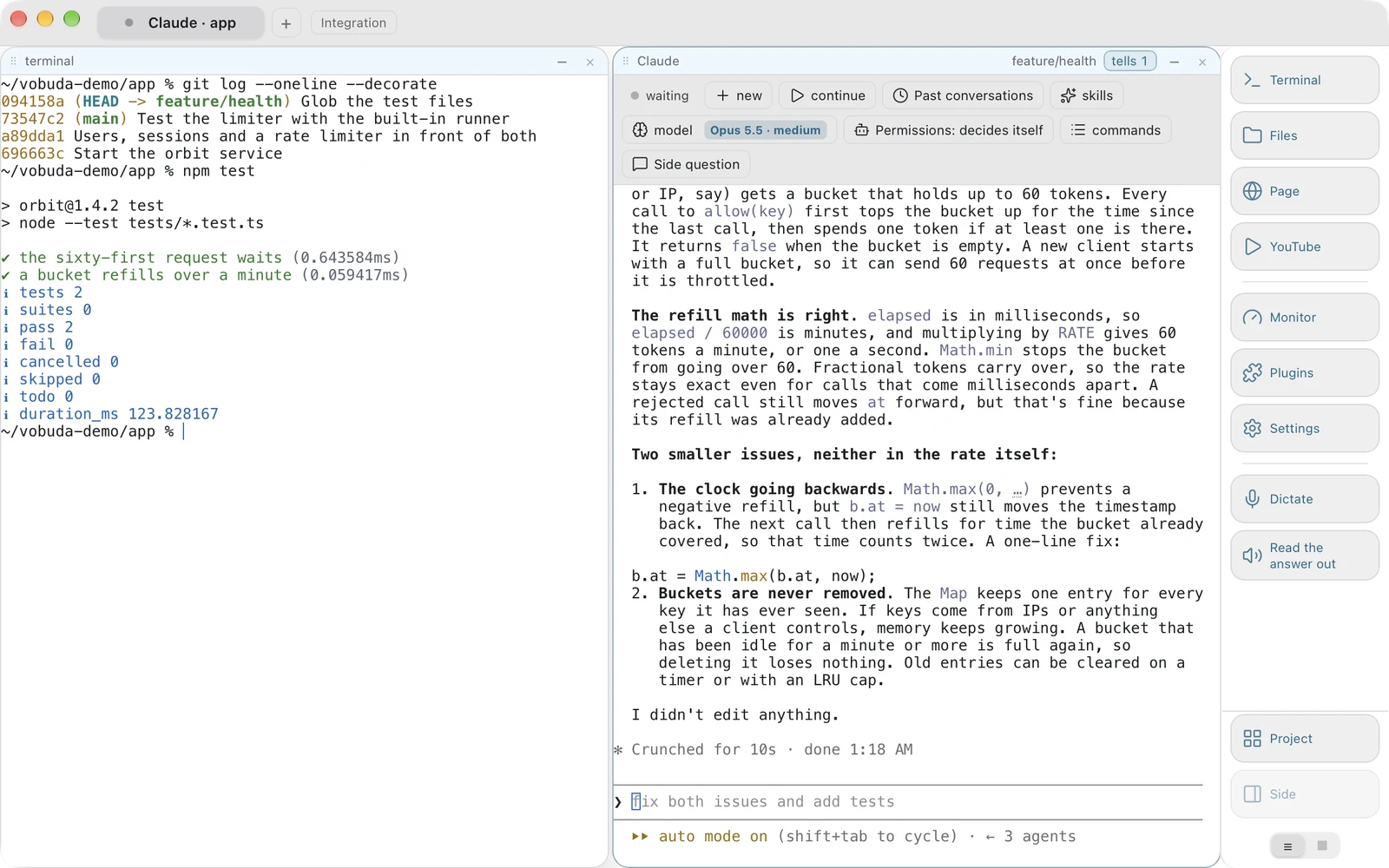
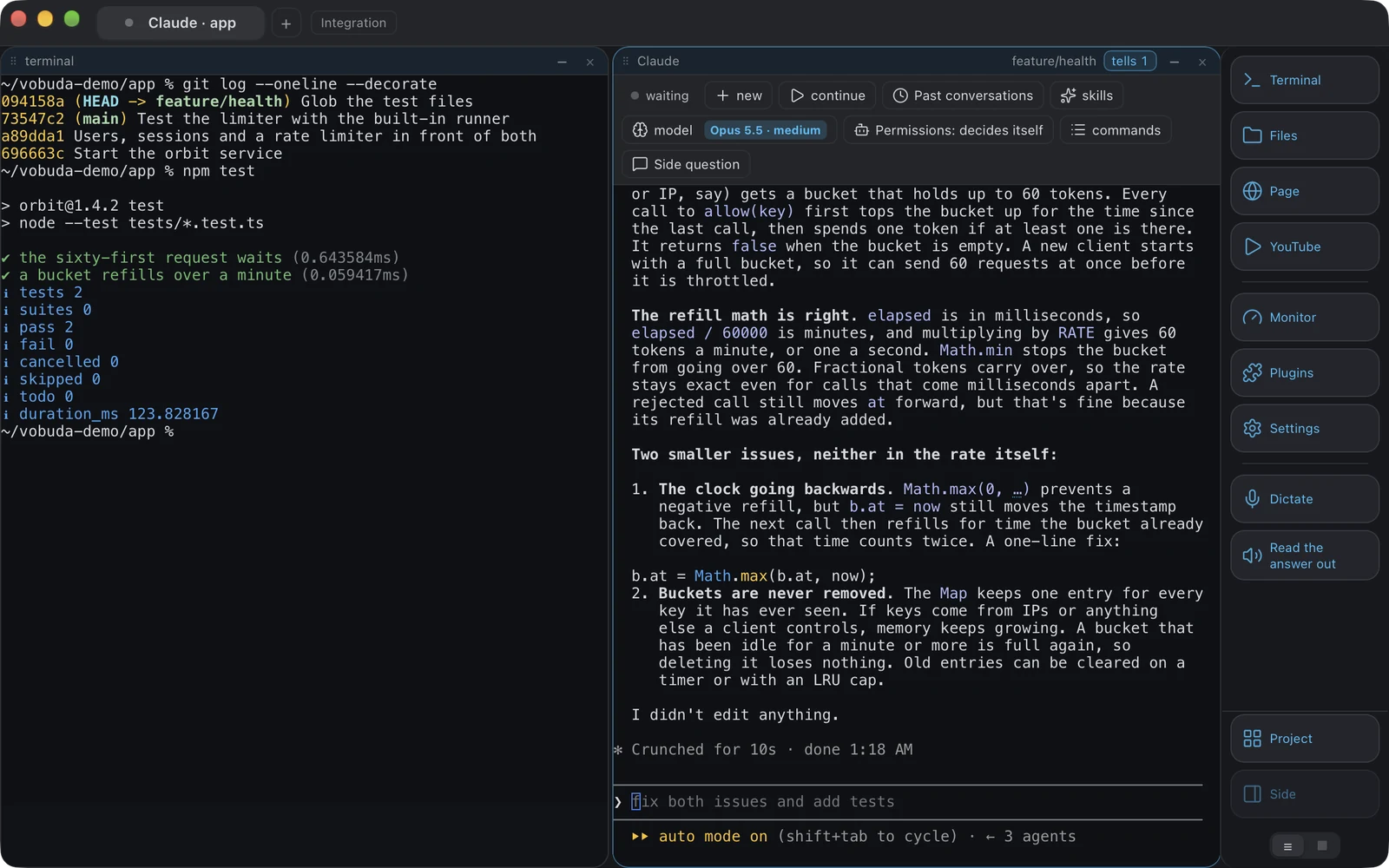
Claude Code және Codex өтіп бара жатқан мәтіннің орнына модельді, күш деңгейін, рұқсат режимін және өткен сессияларды мәзір ретінде көрсететін панель алады. Әрбір баптау - ашуға болатын файл. Тегін, аккаунтсыз, телеметриясыз, macOS-та және Linux-та.
curl -fsSL https://vobuda.com/install.sh | sh - Мәңгі тегін
- Аккаунт керек емес
- Телеметрия жоқ
- Apple қол қойған
- 40 интерфейс тілі
- Аккаунт ешқашан керек емес
- 25 терминал палитрасы
- Телеметрия жоқ
- 70+ Cmd+K бойынша әрекет
- Apple қол қойып, нотариатталған
- 227 түсті файл түрі
- Жұмыс пен бизнеске тегін
- 12 монитор панелінің түрі
- Орнату мен жаңарту үшін бір жол
- 2000+ шығарылым алдындағы тексеру
- macOS 10.15+ және Linux
Mac үшін ең жақсы терминал қазір не істеуі керек
Терминалдар не жылдам әрі жалаң, не ыңғайлы әрі жабық болады. Екеуі де терезеде күні бойы отырғанның нақты не екенін байқамады.
Жиырма жыл бойы таңдау қарапайым болды. Жылдам терминалдар баптауларын сіздің меншігіңіздегі файлдарда сақтайды және қабықшамен шектеледі. Ыңғайлылары панельдер қосып, безендіріледі, содан кейін аккаунт сұрап, тарихыңызды біреудің серверіне орналастырады. Сіз қай жартысынсыз өмір сүре алатыныңызды таңдадыңыз.
Содан кейін терминалда күні бойы отырған нәрсе қабықша болудан қалды. Ол - агент: Claude Code, Codex, жергілікті модель. Ал терминал агентке лайықты пішін емес. Агенттің моделі, күш деңгейі, рұқсат режимі, сессия тарихы және күйі бар, мұның барлығы өтіп жатқан мәтін түрінде келеді де, өткен сәтте көрінбей қалады. Нәтижесінде үш агенттің қайсысы сізді күтіп тұрғанын білу үшін үш экранды оқуға тура келеді.
Vobuda - үш шешімге және олардан туындайтын барлық нәрсеге құрылған үшінші жауап. Бағдарлама білетіннің бәрі - оқи алатын файл. Әрбір әрекеттің қандай жолмен жетсеңіз де, бір аты бар. Агент - терезенің толыққанды тұрғыны. Осылардың айналасында ол адамдар әдетте тағы үш бағдарлама ашатын нәрсені істейді, өйткені терезе блокты ұстай алса, оның кез келгенін ұстай алады.
Үш шешім, және бүкіл бағдарлама соданнан туындайды
{ "theme": "tokyo-night", "look": "soft", "term": { "font": "JetBrains Mono", "fontSize": 13 }, "window": { "opacity": 0.96, "quakeKey": "cmd+`", "restoreSession": true }, "signals": { "done": { "sound": "Glass" }, "notice": true }} // Save the file. The window redraws. Nothing asks for a restart.{ "name": "Tokyo Night", "light": false, "app.bg": "#21222e", "app.fg": "#c0caf5", "app.accent": "#8db0ff", "term.bg": "#1a1b26", "term.fg": "#c0caf5", "term.cursor": "#7aa2f7", "term.black": "#15161e", "term.red": "#f7768e", "term.green": "#9ece6a", "term.yellow": "#e0af68", "term.blue": "#7aa2f7", "term.magenta": "#bb9af7"} // An excerpt. The whole file has all sixteen terminal colours, the selection and the tab strip.{ "cmd+k": "app.commands", "cmd+d": "block.split", "cmd+shift+d": "block.split-down", "cmd+shift+v": "voice.dictate", "cmd+shift+r": "voice.read", "cmd+shift+2": "block.to-tab:2"} // The macOS menu bar is built from this same file.{ "name": "Essentials only", "panels": [ { "kind": "cpu", "title": "PROCESSOR" }, { "kind": "mem", "title": "MEMORY" }, { "kind": "procs", "title": "PROCESSES", "rows": 10 } ]}Бұлар нақты қалтадағы нақты файлдар. Біреуін ашып, жолды өзгертіп, сақтаңыз - терезе жұмыс барысында қайта салынады.
Әр баптау - файл
Дерекқор жоқ, аккаунт жоқ, жасырын күй жоқ. ~/.config/vobuda оқылатын JSON сақтайды, бағдарлама жұмыс істеп тұрғанда қадағаланады: файлды сақтаңыз, терезе қайта салынады. Темалар, көріністер, монитор скиндері, док түймелері, агент сипаттамалары, пернелер тіркесімдері, жобалар. Баптаулар қалтасы git репозиторийі бола алады, ол бір мұрағат ретінде сақталады және басқа Mac-та қалпына келтіріледі.
Бір әрекетке бес жол
Түйме, перне, macOS мәзір жолағы, Cmd+K және командалық жол бір сөздіктегі бір әрекетті атайды. Бес жүзеге асыру емес, біреу. Сондықтан агент терезеңізді vobuda do block.split-down арқылы қайта құрастыра алады, ал сіз оның нақты не істегенін оқи аласыз, сондай-ақ интерфейс тесттері бүкіл бағдарламаны өзінің командалық жолы арқылы басқарады.
Агент өзін-өзі сипаттайды
Сессиялар агенттің өз файлдарынан алынады. Модельдер оның өз орнатуынан немесе Codex жағдайында оның өз таңдау терезесінен алынады. Күш деңгейі қолданылып жатқан модельден алынады. Claude Code-тың рұқсат режимі оның экранынан оқылады және оның өз пернесін басу арқылы өзгертіледі. Мұндағы ештеңе біздің біреудің модельдерінің тізімі емес, өйткені мұндай тізім жаңа модель шыққан күні ескіреді.
Vibe coding, басқару элементтері қолыңыздың астында
Күніңізді жұмысты агентке беріп, нәтижесін оқумен өткізсеңіз, өзгеретін бөлік осы.
-
Claude Code slash командалары мәзір ретінде
Оның кірістірілген командалары, олардың ішінде /compact, /clear, /model, /effort, /cost, /context, /resume, /rewind, /memory, /agents, /mcp және /status, әрқайсысы не істейтінімен, сіздің тіліңізде тізімделеді. Агент өз мәзірлерін көрсеткі пернелерімен салады, ол жерге тінтуір мүлде жетпейді. Бұл жұмыс істеп тұрған агенттің үстінен біз салған әдеттегі ашылмалы тізімдер.
-
Осы қалтадағы нақты бар дағдылардың барлығы
Қайдан келгеніне қарай топтастырылған және саналған: өзіңіздікі, командаңыздікі, плагин әкелген кез келгені. Алты көзден алпыс дағды - есте сақтауға тиіс атау емес, көз жүгіртіп шығуға болатын тізім. Claude Code дағдылары ~/.claude/skills және жобаның ішіндегі сәйкес қалтадан келеді.
-
Бірінші жолы бойынша өткен сессиялар
Агенттің өз файлдарынан оқылады, әрқайсысының жұмыс істеген уақытымен бірге. New жаңасын бастайды, continue соңғысын жалғастырады, ал кез келген ескісі бірінші сөйлемі бойынша ашылады, адам әңгімені дәл осылай есте сақтайды.
-
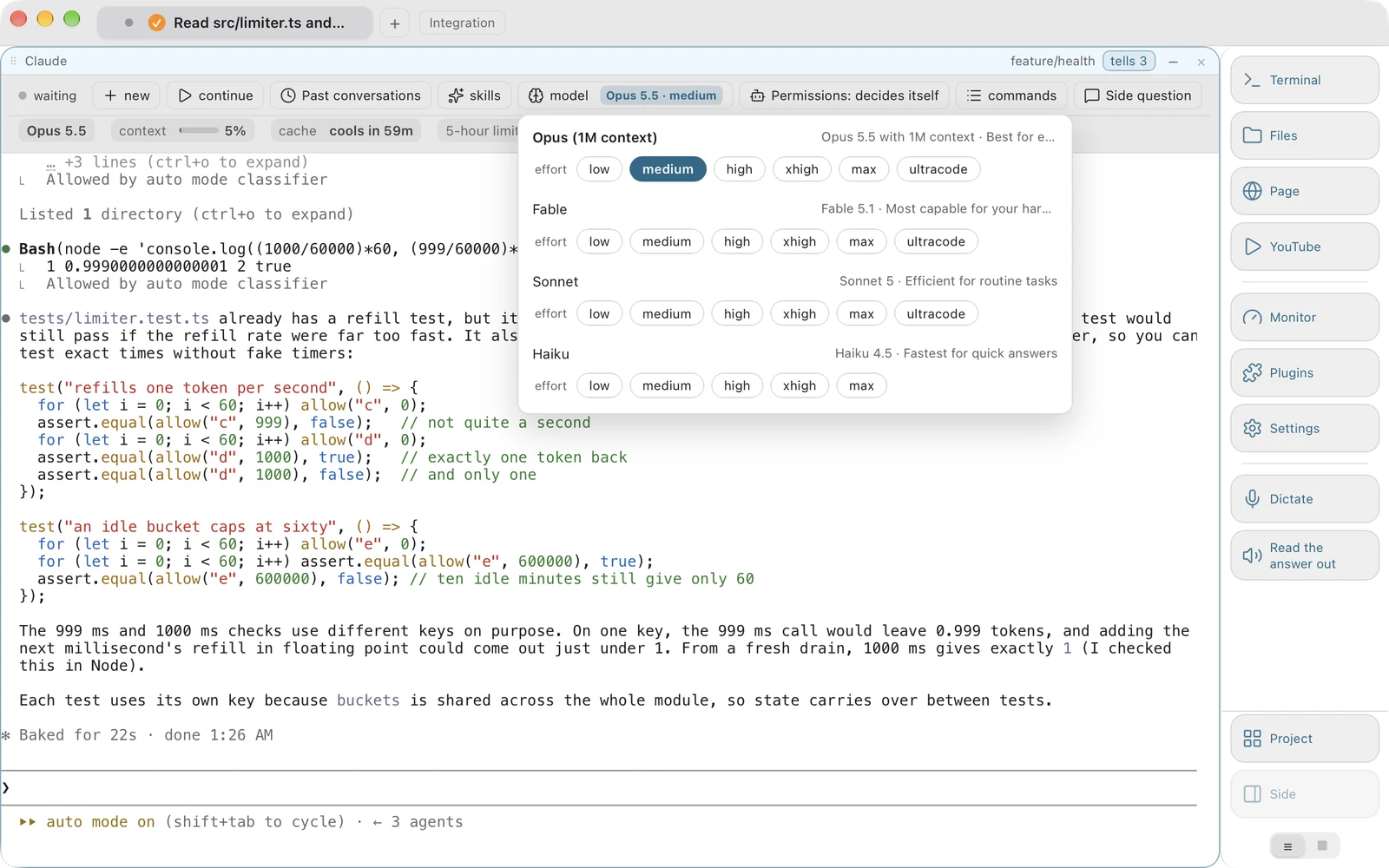
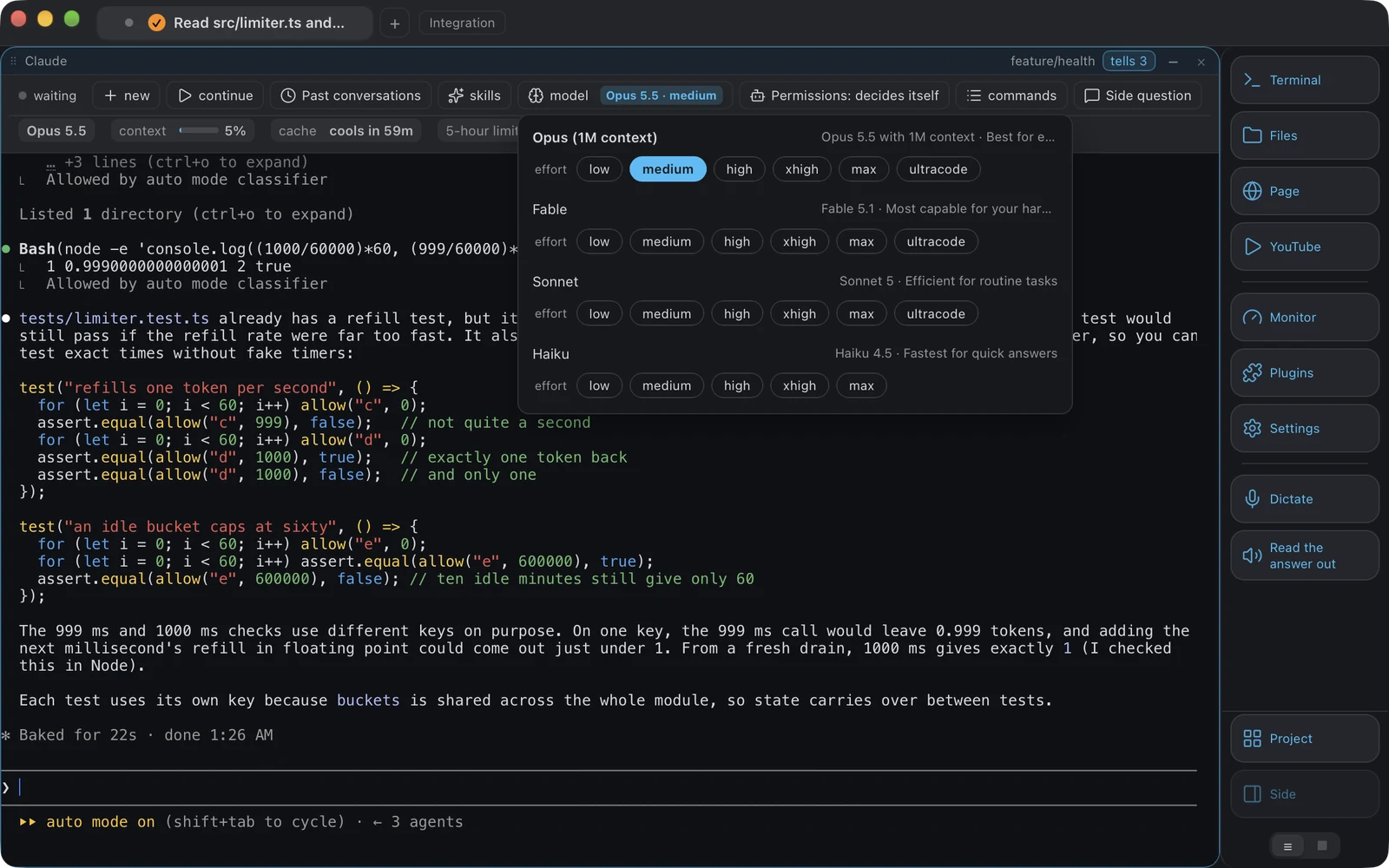
Аккаунтыңыз пайдалана алатын модельдер
Миллион токен контексті бар Opus, Claude Code аккаунтыңыз пайдалана алады деп соңғы рет естіген модельдер, содан кейін Sonnet және Haiku, әрқайсысы қолдайтын күш деңгейлерімен. Екі түйме де «модель» деген сөзді емес, мәнді көрсетеді, өйткені ол агенттің өз күй жолынан оқылады, ал біздің сенімізіміз агент ішінде өзгерткен сәтте ескірер еді.
-
Сұрамай-ақ не істей алады
Claude Code режимдері: өзі шешеді, өзгерістерді қабылдайды, әр қадам алдында сұрайды, тек жоспарлайды. Оның өз экранынан оқылады және оның өз пернесін қажетінше көп рет басу арқылы өзгертіледі, шындықпен үнсіз алшақтай алатын біздің баптауымыз болудың орнына.
Ол істей алатынның барлығы, бір тізімде
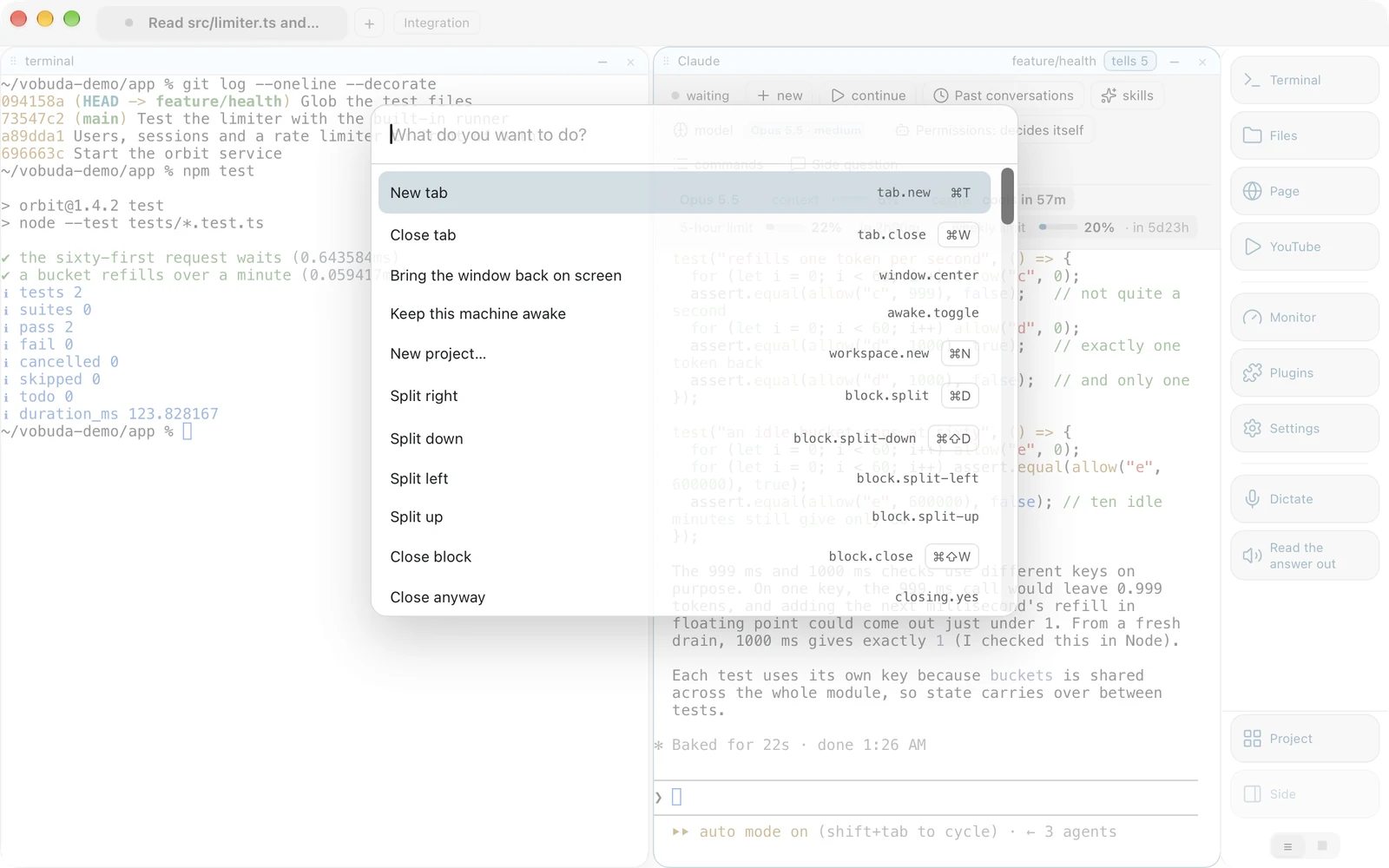
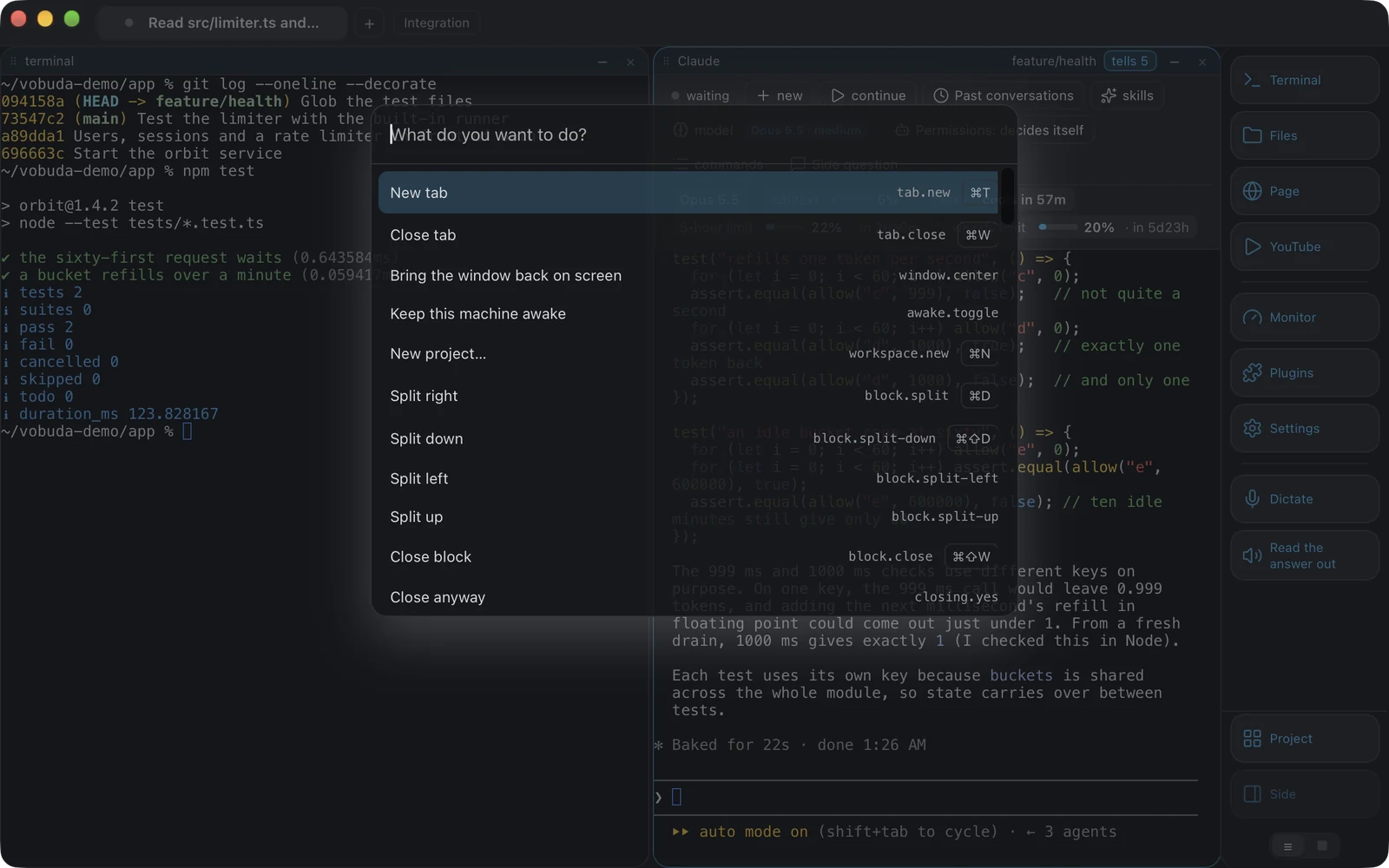
Әрекеттер осыншама көп болғанда, бағдарламаның көп бөлігі іс жүзінде жасырын болады. Cmd+K - «мұны істеп бер» емес, «ол не істей алады» деген сұраққа жауап беретін жол.
-
Ол пернелерді ауыстырмайды, үйретеді
Әр жол өз пернелер тіркесімін көрсетеді. Бір әрекет үшін тізімге екі рет жүгінген адам үшінші ретте пернені жаттап алады.
-
Бұл бесінші сөздік емес
Әр жол әрекетті атауы бойынша іске қосады, дәл түйме, перне, мәзір жолағы және командалық жол сияқты. Тексеру сызатын кестені негізгі тізіммен екі бағытта салыстырады: бар әрекет сол жерде ұсынылмаса, құрастыру сәтсіз аяқталады.
-
Тесттерді дәл сол жиын басқарады
Интерфейс тесттері бүкіл бағдарламаны жеке ілмек арқылы емес, дәл сол сөздік арқылы басқарады. Сондықтан командалық жолға сенуге болады, сондай-ақ агент терезеңізді қайта құрастыра алады да, сіз оның нақты не істегенін оқи аласыз.
Сол атаулар терезесіз де жұмыс істейді
Әр әрекеттің атауы бар, және атау - бүкіл интерфейс. Перне, түйме, мәзір жолағы, команда тізімі және командалық жол бір сөздікке жетеді, сондықтан қолмен істей алатыныңыздың бәрін жазып қоюға болады.
-
Порт жоқ, баптайтын ештеңе жоқ
Командалық жол баптаулар қалтасына бір шағын файл тастайды, ал терезе оны алады. Ашатын порт жоқ және бірінші команда жұмыс істемес бұрын баптайтын ештеңе жоқ.
-
Сондықтан агент оны басқара алады
Блокта жұмыс істеп тұрған Claude Code терезеңізді бөле алады, тақырыпты ауыстыра алады, өзінің жанынан файл аша алады және не істегенін сізге өзіңіз теретін дәл сол атауларды пайдаланып айта алады. Оған артықшылықты ілмек қажет емес, өйткені ондай ілмек жоқ.
-
Сондай-ақ терезе сұрақтарға жауап бере алады
Кез келген vobuda блогында терілген
vobuda stateшын мәнінде не ашық екенін JSON ретінде шығарады: қойындылар, олардағы блоктар және әрқайсысында не жұмыс істейтіні, және тема. Таңертеңгі орналасуыңызды қайтарғысы келетін скрипт мұны оқып, қайта ойнатады.
      ~/dev/vobuda❯vobuda state
      {"tabs": [{ "title": "site", "blocks": [{ "agent": "claude", "cwd": "/Users/you/site" }] }], "theme": "tokyo-night", …}

      ~/dev/vobuda❯vobuda do block.split-down
      # the same name the key presses and the menu bar item

      ~/dev/vobuda❯vobuda theme catppuccin-mocha
      # the window redraws; the file it read is yours to edit

      ~/dev/vobuda❯vobuda where
      /Users/you/.config/vobuda
    ~/dev/vobuda❯
Сіз қарамай тұрғанда не болады
Сіз жоқ кезде
Агент әр тоқтаған сайын бір жол сақталады: қай блок, одан не сұралды, қашан аяқтады, қанша уақыт алды. Блоктар бойынша топталған, жаңалары бірінші, көрмегеніңіздің шетінде белгісі бар. Сұрау агенттің өз экранынан оқылады және оқу мүмкін болмаса бос қалдырылады, өйткені жазбадағы болжам үзіліске қарағанда нашар. Әр терезе үшін елу жазба сақталады, сондықтан «мен жоқта» «мен ұйықтағанда» дегенді де қамтиды.
Пайдалану лимиті және ұйықтағысы келетін Mac
Claude Code пайдалану лимитінде тоқтап, өзі күте бастамаған кезде, панель лимит үшін Claude Code-тың өз мәзірін ашатын бір түйме ұсынады, онда күту мен жалғастыруды таңдау сізде. Vobuda өз атынан ештеңе жібермейді. Бөлек, Mac-ты өзіңіз таңдаған уақытқа, жарты сағаттан он екі сағатқа дейін, баптаулардан немесе бір әрекетпен ұйқыға кетірмей ұстай аласыз, ал қойынды жолағындағы белгі ұстауды көрсетіп, оны босатуға мүмкіндік береді.
Әрекет ете алатын сигналдар
Аяқталған немесе рұқсат күтіп тұрған агент өз қойындысындағы белгішені лүпілдетеді, сіз таңдаған дыбысты ойнатады және Vobuda алдыңғы терезе болмаса, жүйелік хабарландыру жібереді. Ол терезедегі бірінші әрекетіңізде, шертім, перне немесе айналдыруда, тазарады, курсор белгішенің үстінен өткенде емес.
Скриншотты соған тастаңыз
Файлды Finder-ден блокқа сүйресеңіз, оның жолы сол жерге тырнақшамен және орындауға дайын күйде теріледі. Скриншотты немесе кез келген суретті агент жұмыс істеп тұрған блокқа тастаңыз, агент суретті алады, Claude Code пен Codex-ке дәл осылай беру керек. Оны экран бұрышындағы кіші кескіннен тікелей сүйреуге болады, алдымен сақтаудың қажеті жоқ.
Жүйе мониторы, дәл сол терезеде
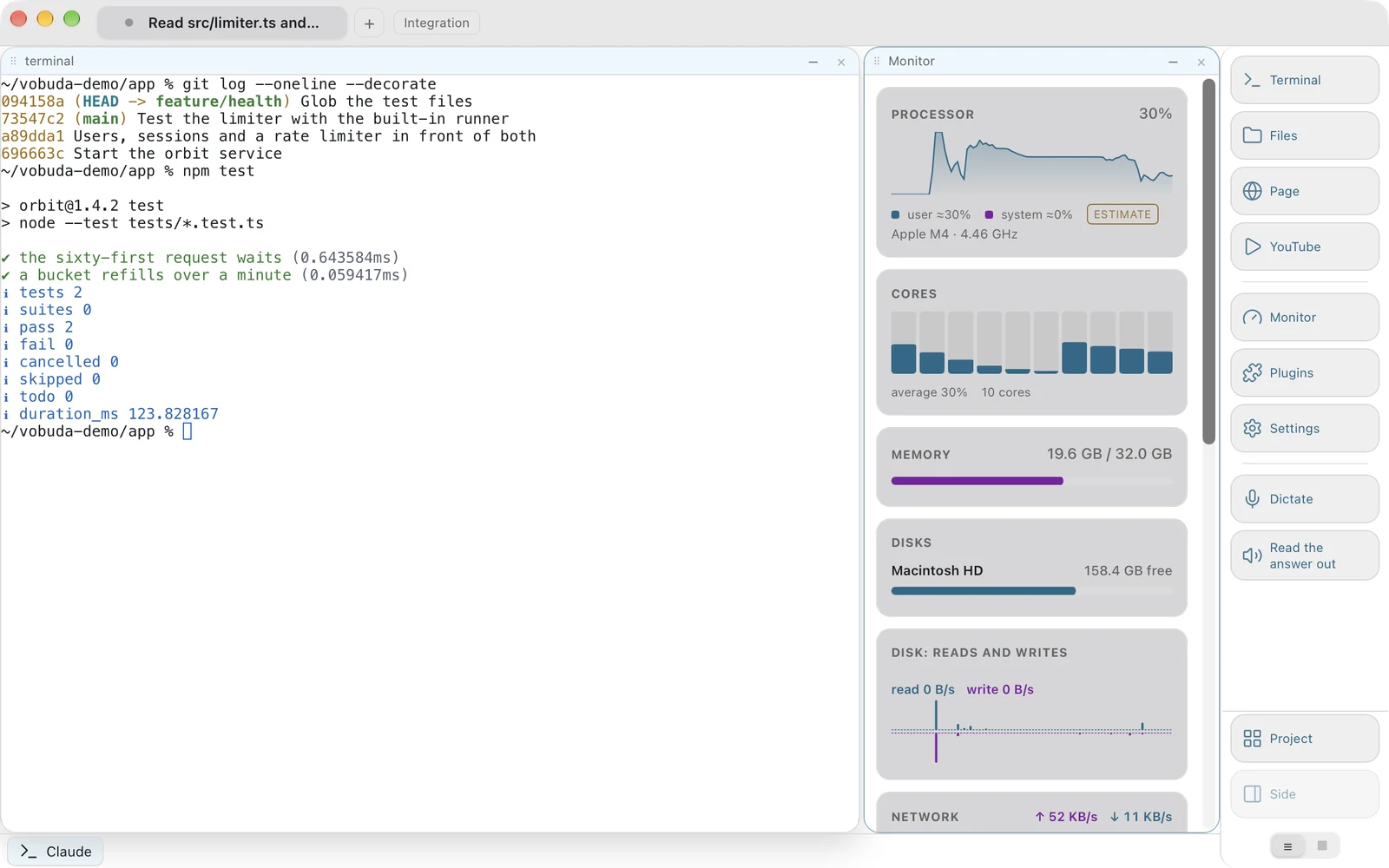
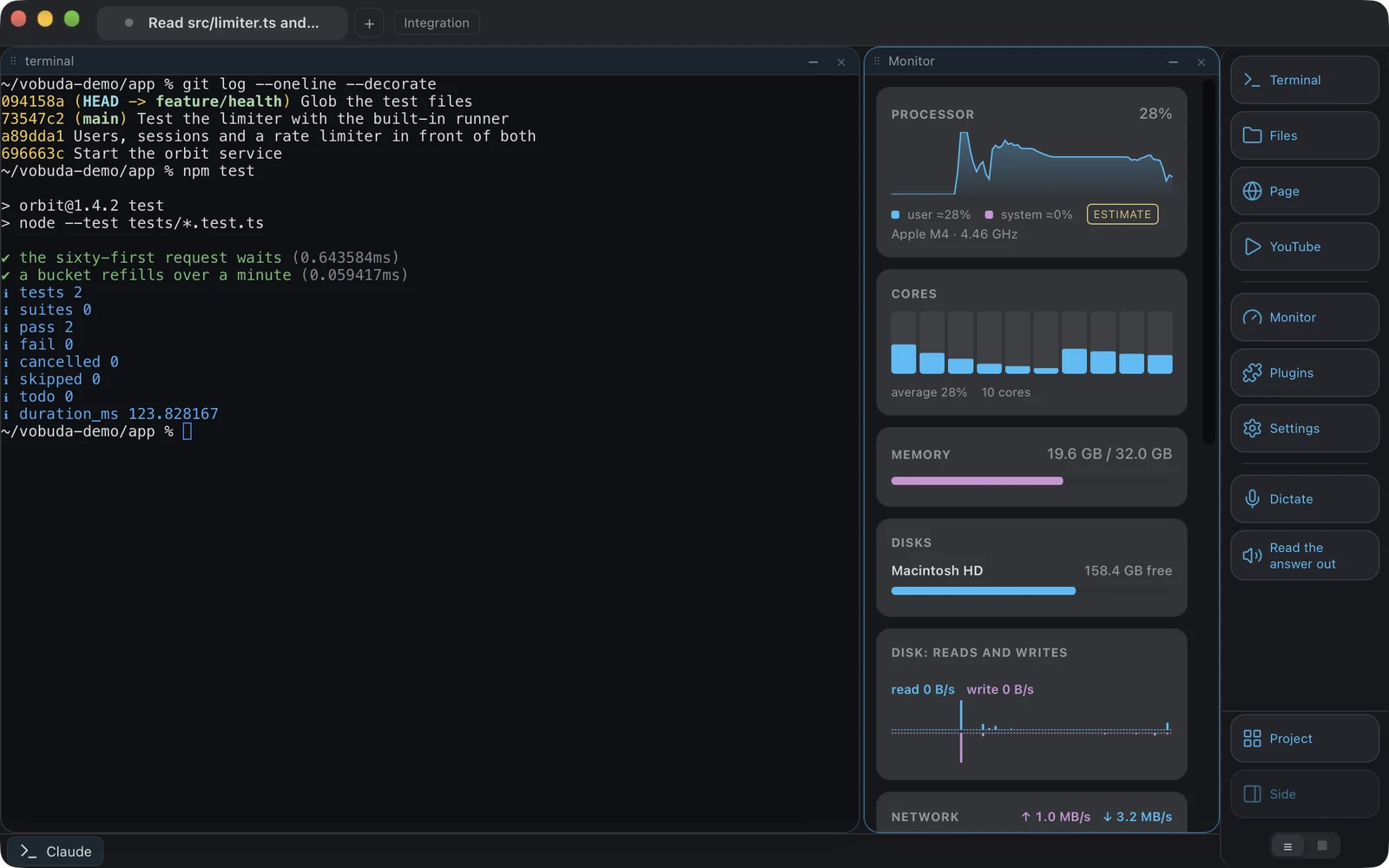
Панельдердің он екі түрі және олардың қайсысын көретініңіз біреу бір рет жобалаған экран емес, файл.
-
Сандар өзі туралы шынайы
Жүйе өлшемей, болжайтын мән тильдамен көрсетіледі, ал жабдық жоқ болса, нөл емес, мән мүлдем жоқ көрсетіледі. Дискретті GPU жоқ құрылғыда нөл пайыз көрсететін GPU панелі болмайды.
-
Екі мекенжай да, әрқайсысында көшіру түймесімен
Панель алдымен интернет көретін мекенжайды, ал оның астында машинаның өз желісіндегі мекенжайды атайды. Ол панель экранда тұрғанда ғана, шамамен он минутта бір рет, немесе мекенжай әлі белгісіз болғанда әр отыз секунд сайын сұрайды, ал сұрау машина туралы ештеңе алып жүрмейді.
-
Сүйреу арқылы реттеледі
Монитордың панельдері, доктың түймелері және агент панелінің бөліктері бір қимылмен алынып, керек жеріне қойылады, ал жол сол жағындағы тұтқасынан алынады, сондықтан сүйреу таңдамақ болған сөзді ешқашан алып қоймайды.
Құрылғыңыздан не шығады
Дерлік ешнәрсе, әрі осылардың әрқайсысын саясаттың ішіне жасырудың орнына ашық атаған дұрыс.
| Не | Қайда барады |
|---|---|
| Сіздің сөзіңіз | Жүйенің өз фреймворкымен құрылғының өзінде танылады, құрылғы ішінде тану талап етіледі, тек артық көрілмейді. Желіні қажет ететін тіл қабылданбайды, оны жергілікті орнату нұсқаулығымен бірге. |
| Файлдарыңыз, баптауларыңыз және тарихыңыз | Машинада қалады. Аккаунт жоқ және біздің синхрондауымыз жоқ. Шығатын жалғыз көшірме - Mac iCloud Drive-та сақтайтын баптаулар көшірмесі, әдепкі бойынша қосулы, Apple арқылы, оны өшіретін бір ауыстырғышпен. |
| Ақаулар | Олар орын алған жерде жазылады, жазылмас бұрын тазаланады және сіз өзіңіз қоспайынша ешқайда жіберілмейді. Сонда күніне ең көбі бір рет, біздің қабылдағышқа, осы машинаның кездейсоқ нөмірімен және оның атауынсыз. |
| Күніне бір рет | vobuda-ның жаңа нұсқасы бар ма, vobuda.com немесе GitHub-тан; Claude Code және Codex-ті npm-нан; және қондырмалар каталогы. |
| Мекенжай панелі | Экранда тұрғанда интернет қандай мекенжайды көретінін сұрайтын шамамен әр он минут сайын бір сұрау. |
Соңғы екеуі сіз туралы немесе машина туралы ештеңе алып жүрмейді. Claude Code бар Mac-та агент панелі экранда тұрғанда әр бес минут сайын жасалатын тағы бір сұрау Anthropic-тен аккаунтыңыздың лимиттерін Claude Code Keychain-де сақтайтын кірумен сұрайды; токен тек Anthropic-ке барады. Аналитика жоқ және пайдалану есебі жоқ, ол өшіруге болатын баптау ретінде емес, жоқ код ретінде. Құпиялық беті әр сұрауды тізімдейді.
Барлық баптауды файлда сақтайтын Mac терминалы
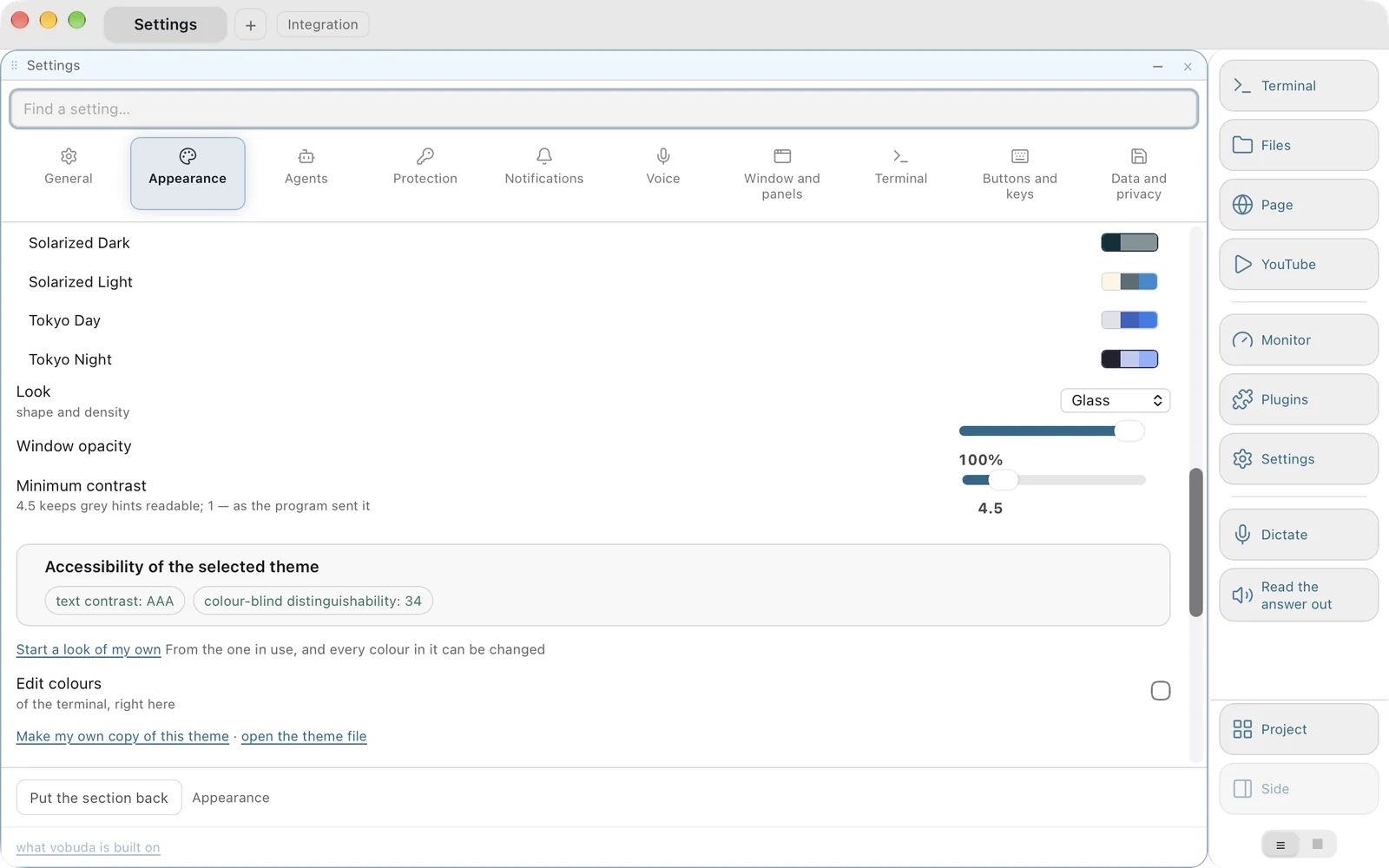
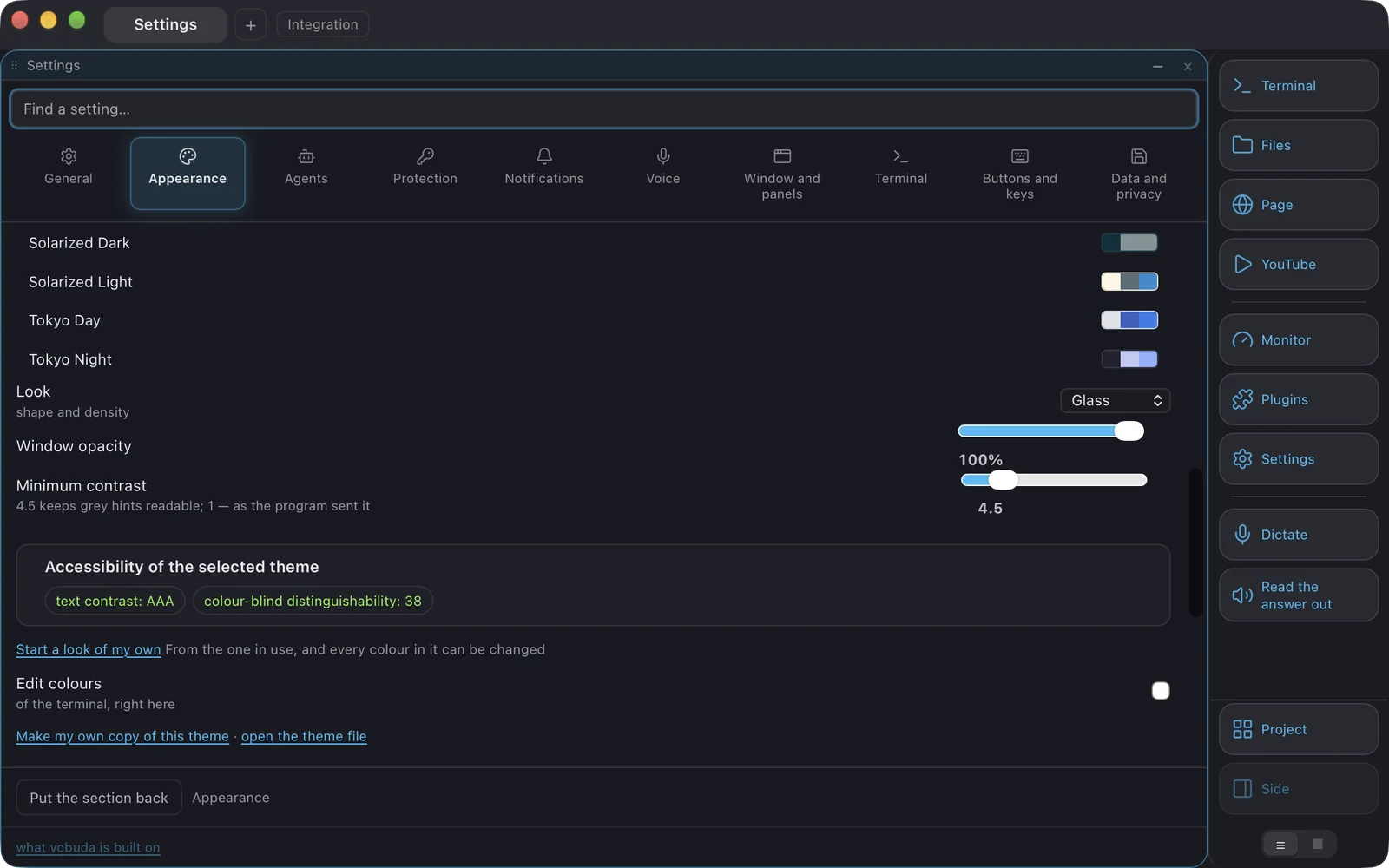
Кірістірілген тақырыптар бинарлық файлдың ішінде тұрады, баптаулар қалтасы оларды үстінен басады, сондықтан жаңарту сіз өзгерткен ештеңені үстінен жазбай, жаңа түстер әкеледі. Жиырма бес терминал палитрасы жеткізіледі, олардың екеуі түс көру ерекшелігі бар адамдарға арналған және шығар алдында үш түрін имитациялайтын тестпен тексеріледі. Тақырып таңдағышы таңдап жатқан тақырыптың контрастын және оның түстерінің түсті ажырата алмайтын оқырманға қаншалықты айқын екенін көрсетеді, өйткені оқылмайтын тақырып - тақырып емес.
Жиырма тоғыз терезе көрінісі терезенің түстерін емес, пішінін анықтайды: бұрыштар, көлеңкелер, панель түстері, мөлдірлік және док мүлде салынатыны. Қолданыстағы кез келген көріністен бір түймемен өзіңіздікін жасаңыз, ол кез келген басқасы сияқты көріністер қалтасындағы файлға айналады. Бір көрініс бояған нәрсені келесісі қайтарады, өйткені түсіруге болмайтын түс - ешкім қоя алмауы керек түс.
Ешнәрсе қайта іске қосуды сұрамайды. Ешқашан. Баптаулар қалтасы бақыланады, енді бұған негізгі бөлікке тиесілі екі нәрсе, macOS мәзір жолағы және ашылмалы терезенің жалпы пернесі де кіреді. Тексеру баптаулар экранындағы әрбір белгіні оқиды және "қайта іске қосу" деген сөз кездессе, құрастыруды сәтсіз аяқтайды.
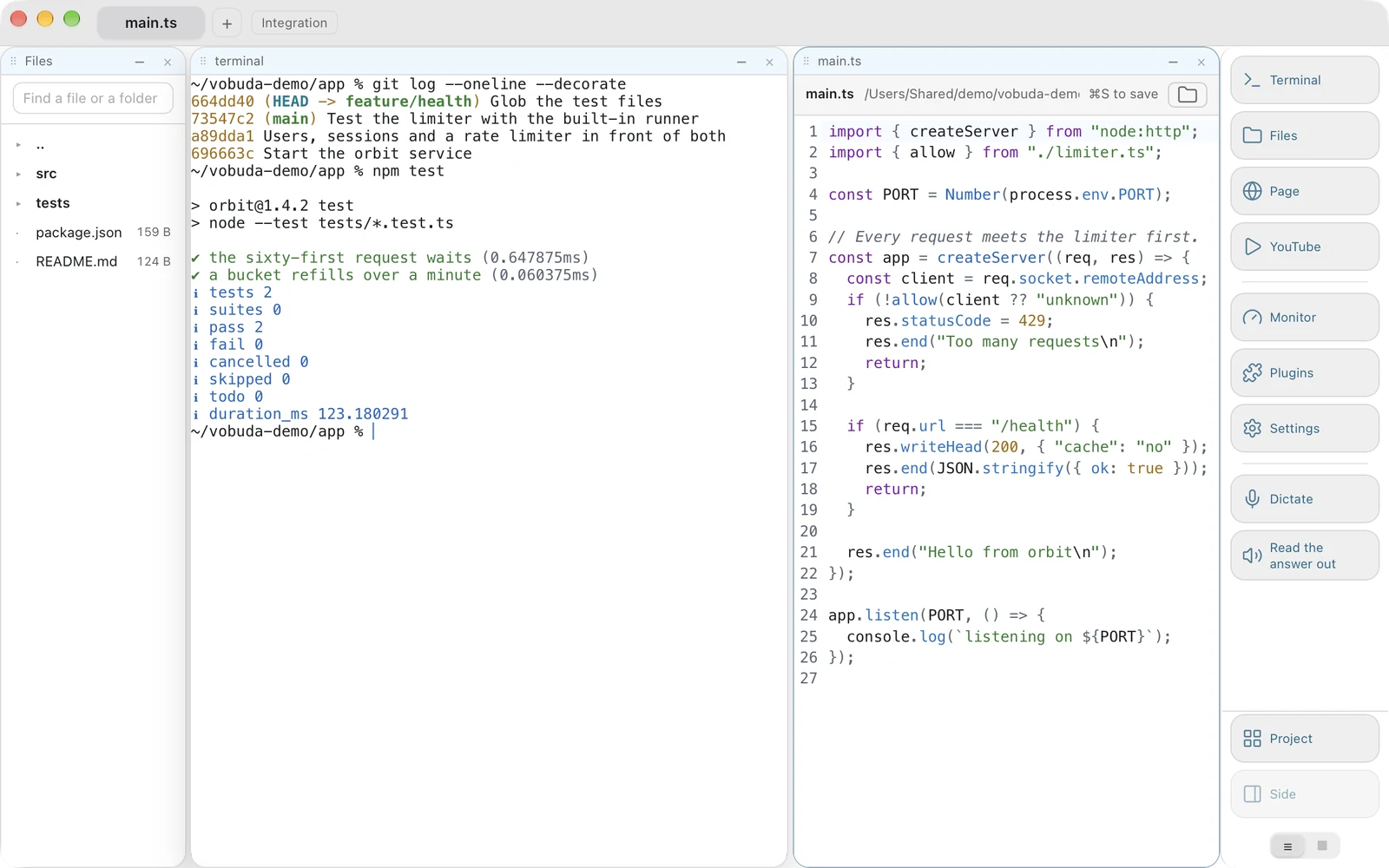
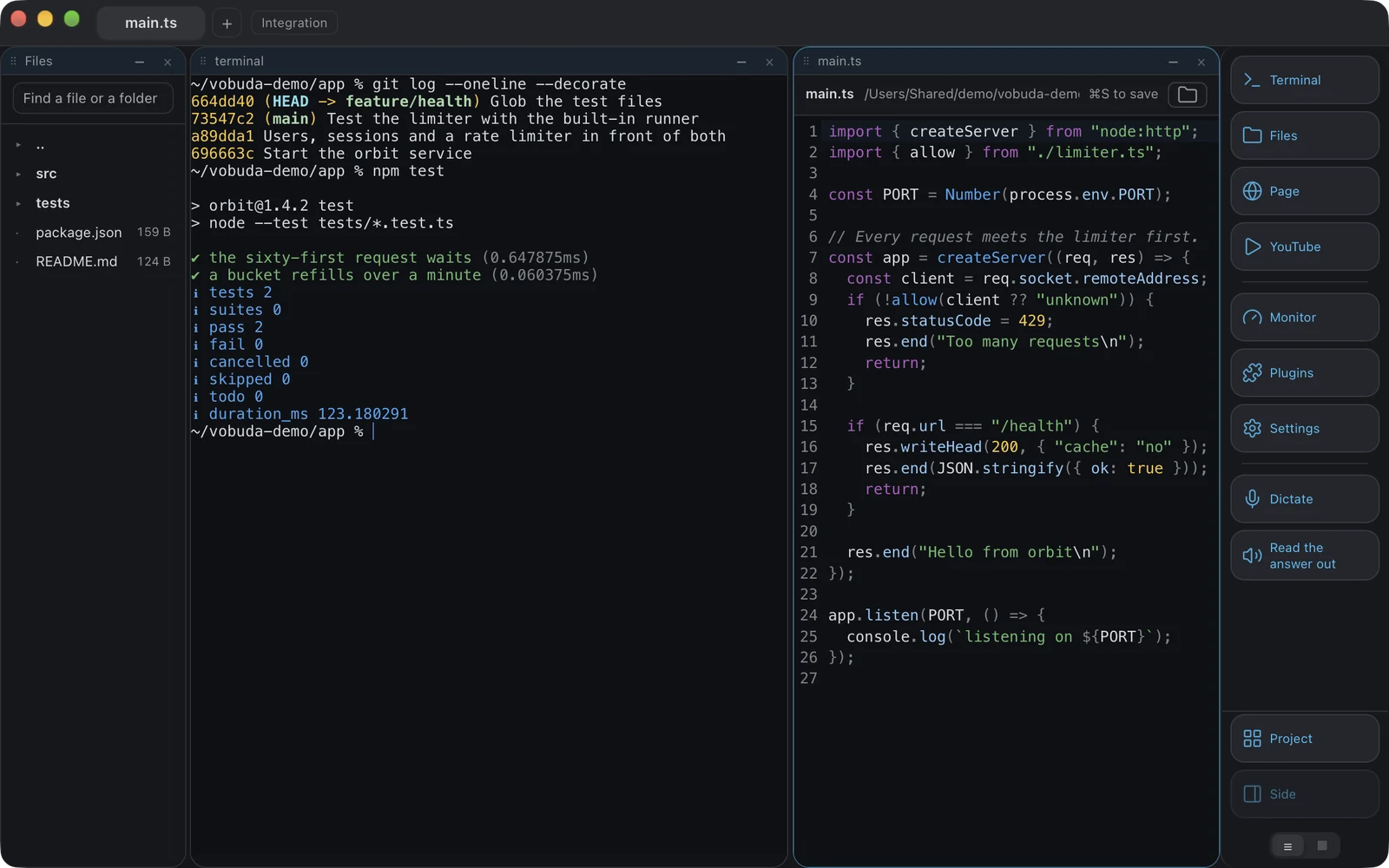
Файл қабықшаның жанында ашылады
Нәтижеде жол пайда болады, екі жолды өзгерту керек, ал бұрын бұл редакторға шығып, қабықша контекстін жоғалтып қайтуды білдіретін.
-
Сақтау әдейі жасалады
Cmd+S басылғанша ештеңе жазылмайды. Терген сайын жазатын редактор жазбалар қосымшасында жақсы, бірақ жұмыс істеп тұрған қабықшаның жанында жаман.
-
Бас тартулар жазудың өзіндей маңызды
Ашылғаннан кейін дискіде өзгерген файл үстінен жазылмайды. Бинарлық файл бұзылған мәтін ретінде көрсетілмейді. Қалта мүлде ашылмайды, ал өзгертілген файлды жабу кезінде сұрайды.
-
Файлды табу
Тұрған қалтаңыздың астынан атауы бойынша іздейді, әр нәтиже қай екі қалтада тұрғанын көрсетеді, өйткені жалғыз атау екі index.ts файлын ажырата алмайды. Ол node_modules, .git және соларға ұқсастарды өткізіп жібереді, екі әріптен аз болса, ешнәрсе істемейді.
Нақты оқуға болатын түс
Жиырма бес палитра, жиырма тоғыз терезе көрінісі және екеуі туралы шындықты айтатын таңдағыш.
-
Түс көру ерекшелігіне арналған екі палитра
Шығар алдында оның үш түрін имитациялайтын тестпен тексеріледі. Оқылмайтын тақырып - тақырып емес.
-
Өзіңіз жасайтын көрініс
Қолданыстағы кез келген көріністен бастап, оның түстерін сол бөлімде өзгертіңіз, ол looks қалтаңызда басқалары сияқты файлға айналады. Бір көрініс бояған нәрсені келесі көрініс қайтарады.
-
Ешнәрсе қайта іске қосуды сұрамайды
Ешқашан. Баптаулар қалтасы бақыланады, оған негізгі бөлікке тиесілі macOS мәзір жолағы мен ашылмалы терезенің жалпы пернесі де кіреді. Тексеру баптаулар экранындағы әрбір белгіні оқиды және "қайта іске қосу" деген сөз кездессе, құрастыруды сәтсіз аяқтайды.
Терезе ұстауы керек барлық басқа нәрсе
Блок - блок. Терезе біреуін ұстай алса, оның кез келгенін ұстай алады. Бәріне тиесілі болу үшін тым үлкен нәрсе vobuda-ның өз каталогынан қондырма ретінде келеді, бір басумен толығымен орнатылады және жойылады: Design - тірі бетке нұсқап, нені өзгерту керектігін айту үшін, және Director - кездесу өткізетін, жұмысқа қажетті агенттерді жалдайтын және нәтижені сізге тапсыратын басқарушы.
Қабықшаның жанында ашық файл
227 түрлі файл үшін бояу терминалдың өз тақырыбынан алынады, сондықтан ашық файл оны атаған қабықшаның жанында тұрғандай көрінеді. Бүкіл жоба бойынша іздеу, атауының бір бөлігін теру арқылы ашылатын файл, бірнеше курсор. Cmd+S басылғанша ештеңе жазылмайды, астыңызда дискіде өзгерген файл үстінен жазылмайды, бинарлық файл шу ретінде көрсетілмей, қабылданбайды.
Ол істей алатынның барлығы, бір тізімде
Cmd+K әрбір әрекетті теруге болатын тізім ретінде ашады. Әріптер реті бойынша сәйкес келеді, сондықтан «spld» «Split down» табады, ал әр жол өз пернелер тіркесімін көрсетеді, пернелер осылай үйренеді. Тексеру бұл тізімді ядро сөздігіне екі бағытта да сәйкестендіреді: бар, бірақ онда ұсынылмаған әрекет құрастыруды сындырады.
Quake стиліндегі терезе
Бір жалпы пернені орнатыңыз, сонда терминал экранның жоғарғы жағынан түседі; дәл сол перне оны жасырады және фокусты қайдан шақырсаңыз, сол жерге қайтарады. Сіз таңдамайынша ешқандай перне орнатылмайды.
Веб-парақша блок ретінде
Парақша орналасуда басқалары сияқты ашылады, өз мекенжай жолағымен, бетбелгілерімен және бас парағымен, әрі сессиямен бірге қайта оралады. Агенттің браузері қайда ашылатынын өзіңіз шешесіз.
Жауапты дауыстап оқыту
Mac-та Cmd+Shift+R агенттің соңғы жауабын жүйенің өз дауыстарымен дауыстап оқиды. Оқылатыны - экран емес, жауап: жабдықтау, айналатын индикатор және кеңес жолағы өткізіліп жіберіледі, жол файл атына айналады, ал оқу жауапты шығарған команда жерінде тоқтайды.
Жобалар
Жоба - өз қойындылары, өз қалтасы, өз темасы және өз докы бар терезе, workspaces қалтасында файл ретінде сақталады және баптаулардан, мәзірден немесе командалық жолдан ашылады.
Қысқаша шолу
- Платформа
- macOS 10.15 және одан жаңа нұсқалар, Apple silicon үшін бір пакет және Intel үшін бір пакет, дұрысын орнату жолы өзі таңдайды; Intel/AMD және ARM үшін .deb немесе AppImage түріндегі Linux
- Бағасы
- Тегін, жеке де, коммерциялық жұмыс үшін де
- Аккаунт
- Жоқ
- Негізі
- Rust, Tauri 2, React 19, xterm.js, әдепкі бойынша мәтін ретінде салынады, GPU рендерлеуі қосымша
- Баптаулар
- ~/.config/vobuda ішіндегі оқылатын JSON, лезде қайта жүктеледі, әрбір баптау бойынша іздеуі бар он бөлімде
- Интерфейс
- 40 тіл, оңнан солға жазылатындарын қоса, әрқайсысында нұсқаулықпен
- Тақырыптар
- 25 терминал палитрасы, 29 терезе көрінісі, өзіңіздің монитор скиндеріңіз
- Орнату
- Mac-та бір жол, таза Mac-та құпиясөзсіз; Linux-та .deb немесе AppImage
- Қолтаңба
- Apple Developer ID, нотариатталған және бекітілген
- Бастапқы код
- Жарияланбаған. Лицензияны қараңыз
Орнатпас бұрын адамдар қоятын сұрақтар
Vobuda тегін бе?
Иә, жеке де, коммерциялық жұмыс үшін де. Сынақ мерзімі жоқ, ақылы деңгей жоқ, аккаунт жасаудың қажеті жоқ. Лицензия рұқсат етпейтіні - бағдарламаны басқаға беру: көшірмесін тарату, сату, қызмет ретінде ұсыну немесе бөлшектеп талдау.
Vobuda ашық бастапқы код па?
Жоқ. Ол тегін, бірақ жабық: таратылатыны - құрастырылған нұсқа, ал бастапқы код жарияланбаған. Ашық репозиторийде README, өзгерістер тізімі, лицензия және осы беттегі суреттер бар.
macOS оны ашқанда мені ескертеді ме?
Жоқ. Құрастырылған нұсқа Apple Developer ID арқылы қол қойылған және нотариатталған, орнатқыш бекітілген, сондықтан оны бұрын-соңды көрмеген Mac ешбір ескертусіз ашады. Бұрынғы нұсқалар өз сертификатымызбен қол қойылып, ескерту беретін; бұл 0.1.1 нұсқасында аяқталды.
Ол Intel Mac-тарда жұмыс істей ме?
Иә. Apple silicon үшін бір пакет және Intel үшін бір пакет бар, орнату жолы дұрысын өзі таңдайды, ал ең төменгі талап - macOS 10.15.
Оны пайдалану үшін Claude Code немесе Codex керек пе?
Жоқ. Ол ең алдымен терминал: бірінші іске қосуда екі қысқа сұрақтан кейін ол бір қабықша блогымен ашылады және басқа ештеңемен емес. Агент панелі агент блокта жұмыс істеп тұрғанда ғана пайда болады және одан бұрын ешқашан емес.
Claude Code-пен қай терминал ең жақсы жұмыс істейді?
Шын мәнінде сұрақ - терминал агенттің күйімен не істейтінінде. Vobuda Claude Code-тың өз сессияларын, дағдыларын, модельдерін, күш деңгейлерін және рұқсат режимін оқып, блоктың үстіндегі панельге орналастырады, сондықтан ештеңені теруге немесе есте сақтауға тура келмейді. Ешнәрсе прокси арқылы жүрмейді және қайта жүзеге асырылмайды: астында дәл сол Claude Code өз дағдыларыңызбен, жадыңызбен және рұқсаттарыңызбен тұр.
Linux немесе Windows нұсқасы бар ма?
Linux-та - иә. Жүктеу бетінде Intel/AMD және ARM машиналарына арналған .deb және AppImage бар, Ubuntu 22.04+, Debian 12+, Fedora 36+ және openSUSE Leap 15.6+ үшін. Диктовка мен дауыстап оқу тек macOS-та жұмыс істейді. Windows үшін құрастыру жоқ және оған беретін күніміз жоқ.
Ол желі арқылы не жібереді?
Күніне бір рет ол vobuda, Claude Code және Codex-тің жаңа нұсқалары бар-жоғын сұрап, қондырмалар каталогын алады. Мекенжай панелі экранда тұрғанда интернет қандай мекенжайды көретінін сұрайды. Claude Code бар Mac-та агент панелі экранда тұрғанда әр бес минут сайын ол Anthropic-тен аккаунтыңыздың лимиттерін Claude Code-тың өз кіруімен сұрайды. Ақау есептері тек сіз қоссаңыз ғана кетеді. Аналитика жоқ және пайдалану есебі жоқ, ал құпиялық беті әр сұрауды тізімдейді.
Бір жол оны орнатады, дәл сол жол жаңартады
Аккаунт жоқ, кіру жоқ, жұмыс істеу үшін баптаудың қажеті жоқ. Немесе қол қойылған пакетті алып, қос шертіңіз.
curl -fsSL https://vobuda.com/install.sh | sh