Vobuda as an Apple Terminal alternative
Terminal.app is already on your Mac, costs nothing, opens instantly and will never surprise you. Most of the reasons to leave it come down to one thing: what happens when an agent lives in the window.
What Terminal.app is good at
Terminal.app is underrated. It ships with the system, it is maintained by Apple, it starts instantly, it handles profiles and split panes, and it has never lost anyone's work. For running the occasional command, it is completely sufficient and there is no reason to install anything.
If your terminal use is a few commands a week, stop reading here. Nothing on this page is worth a download for that.
Where the two differ
-
Configuration you can carry
Terminal.app keeps its settings in preferences and exports profiles as system files. Vobuda keeps everything in ~/.config/vobuda as readable JSON, one file per theme, look, skin, dock and shortcut set, so your whole setup can live in git and restore on a new Mac from one archive.
-
The window holds more than shells
A block in Vobuda can be a terminal, a file being edited, the files panel, a web page, a picture, a PDF, a Markdown page, a diff, the system monitor, the settings screen or an add-on's panel, and they split, drag and resize by one set of rules. A block dragged onto another tab lands with its shell still running.
-
The agent
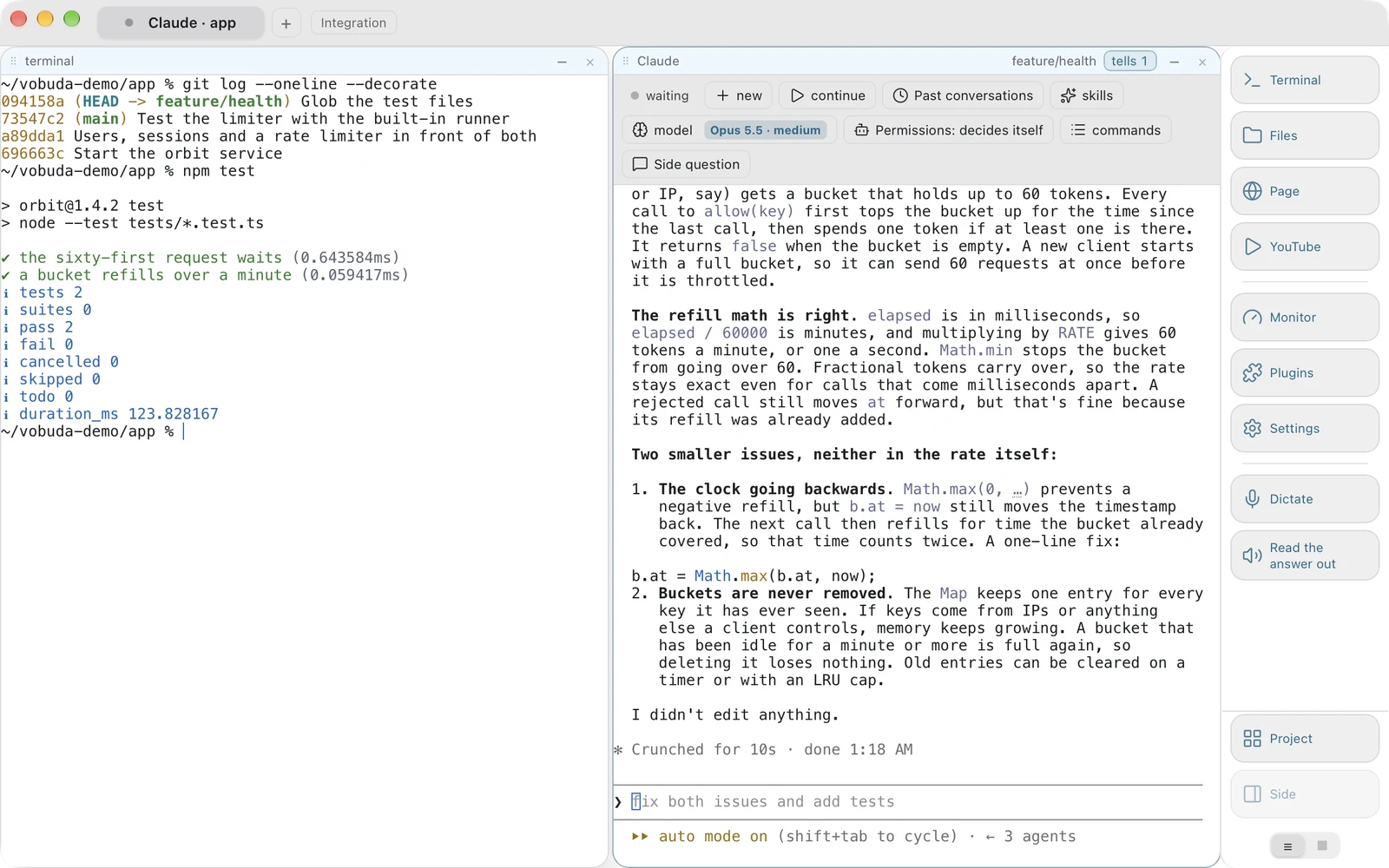
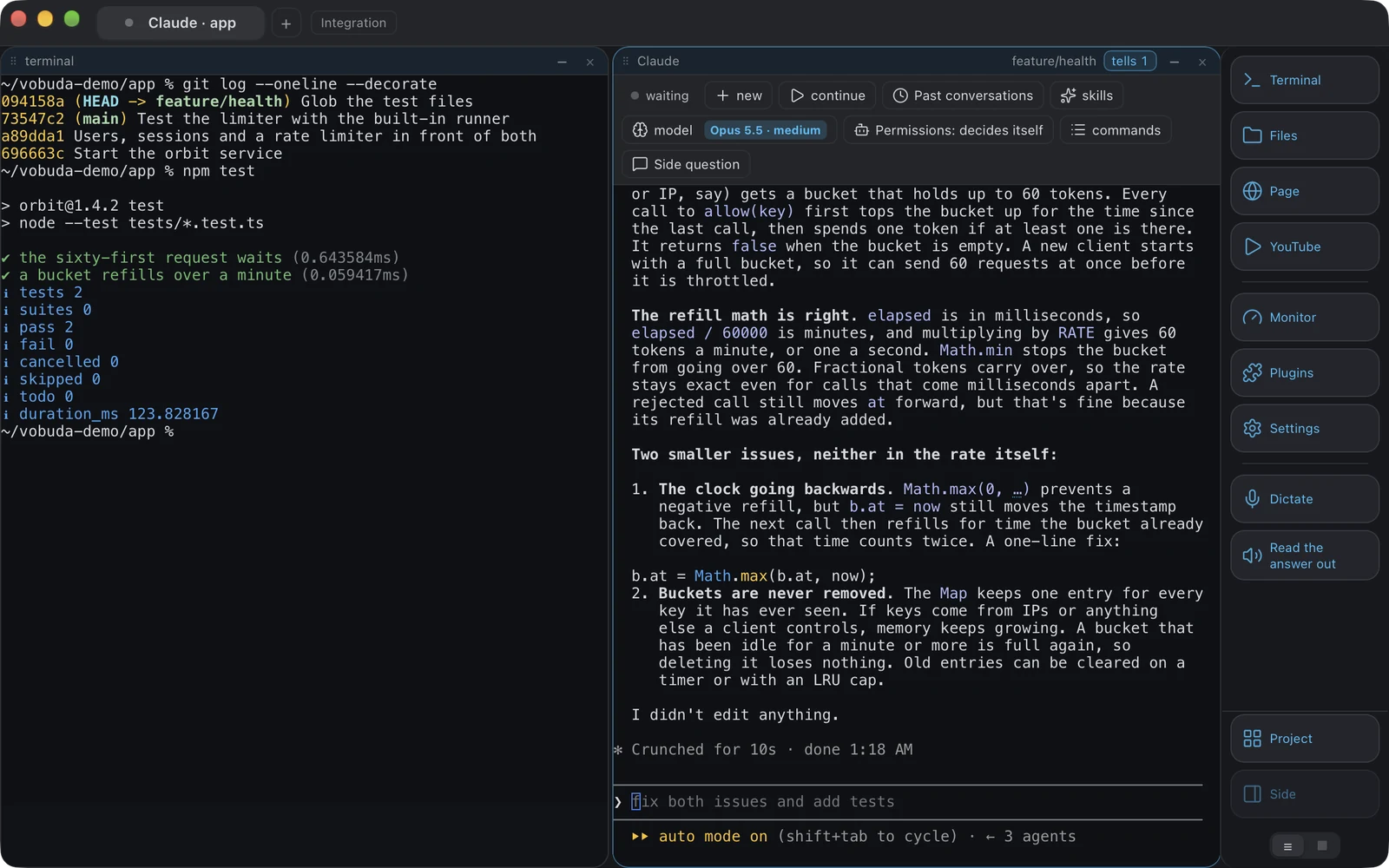
Running Claude Code in Terminal.app works fine and the state stays invisible. Vobuda draws a control bar over it with its sessions, skills, slash commands, model, effort and permission mode, keeps a line each time it stops, and can keep the Mac awake for a time you choose.
-
Things Terminal.app has that Vobuda does not
It is already installed, it is maintained by the operating system vendor, and it will still be there after any third-party program stops being maintained. Those are not small things.
Where your configuration lives
The shortest honest answer to this comparison. Both samples set the same four things: typeface, size, colours, transparency.
$ defaults read com.apple.Terminal "Window Settings"{ Basic = { "Font" = <62706c69 73743030>; "ProfileCurrentVersion" = "2.07"; };} # The typeface is a binary blob inside a property list.{ "theme": "tokyo-night", "term": { "font": "JetBrains Mono", "fontSize": 13 }, "window": { "opacity": 0.96, "quakeKey": "cmd+`" }} # themes/, keys.json and skins/ sit beside it in the same# folder. Nothing about you is written anywhere else.Side by side
Read September 2026. Their own site is the authority on anything that has changed since.
| vobuda | Terminal.app | |
|---|---|---|
| Platforms | macOS 10.15+, Linux | macOS, preinstalled |
| Source | Closed, free | Closed, part of macOS |
| Account | None | None |
| Configuration | Readable JSON files, hot-reloaded | Preferences and exported profiles |
| Agent control bar | Yes | No |
| Blocks | Terminal, editor, files, web page, monitor, settings | Terminal, with tabs and split panes |
| System monitor | Twelve kinds of panel | No |
| Editor beside the shell | 227 kinds of file | No |
| Command line control | Every action, by name | AppleScript |
| Interface languages | 40, with a guide in each | The system's languages |
Everything claimed about vobuda is checkable in the build on this site. See the whole field on one page.
Terminal.app and vobuda, asked plainly
Is Terminal.app good enough?
For most casual use, yes, and it is already installed. The case for leaving is about agents, about configuration you can version, and about the monitor and editor being in the same window.
Can Vobuda be my default terminal?
macOS has no system-level default terminal setting: Finder is wired to Terminal.app. What works instead is a URL scheme, vobuda://open?path=/some/path, which opens a tab in that folder from a Finder action, a script or another app.
Will it slow my Mac down?
The Mac package is about 10 MB, one for each chip, and after two short questions on the first run it opens with a single terminal block. The monitor, editor, files panel and web block only exist when you open them.
Ten minutes is a better comparison than this page
It installs in one line, opens with a single terminal block and takes nothing from you.
curl -fsSL https://vobuda.com/install.sh | sh