Vobuda as a Warp terminal alternative
Warp is the most ambitious terminal of the last few years and the one Vobuda is most often measured against. The difference is not polish. It is whose agent it is, and whether there is an account.
What Warp is good at
Warp did the thing everyone else was too cautious to try: it decided a terminal could be a modern application rather than a faithful copy of a VT100, and it built one in Rust with a GPU renderer and a genuinely good editing experience. Blocks, a command palette, shared workflows, an AI that writes commands for you. A lot of what people now expect from a terminal exists because Warp shipped it first and everyone else caught up.
If what you want is one program that comes with its own assistant, works the same on macOS, Linux and Windows, and has a company behind it building team features, Warp is a strong answer and Vobuda is not competing for that job.
Where the two differ
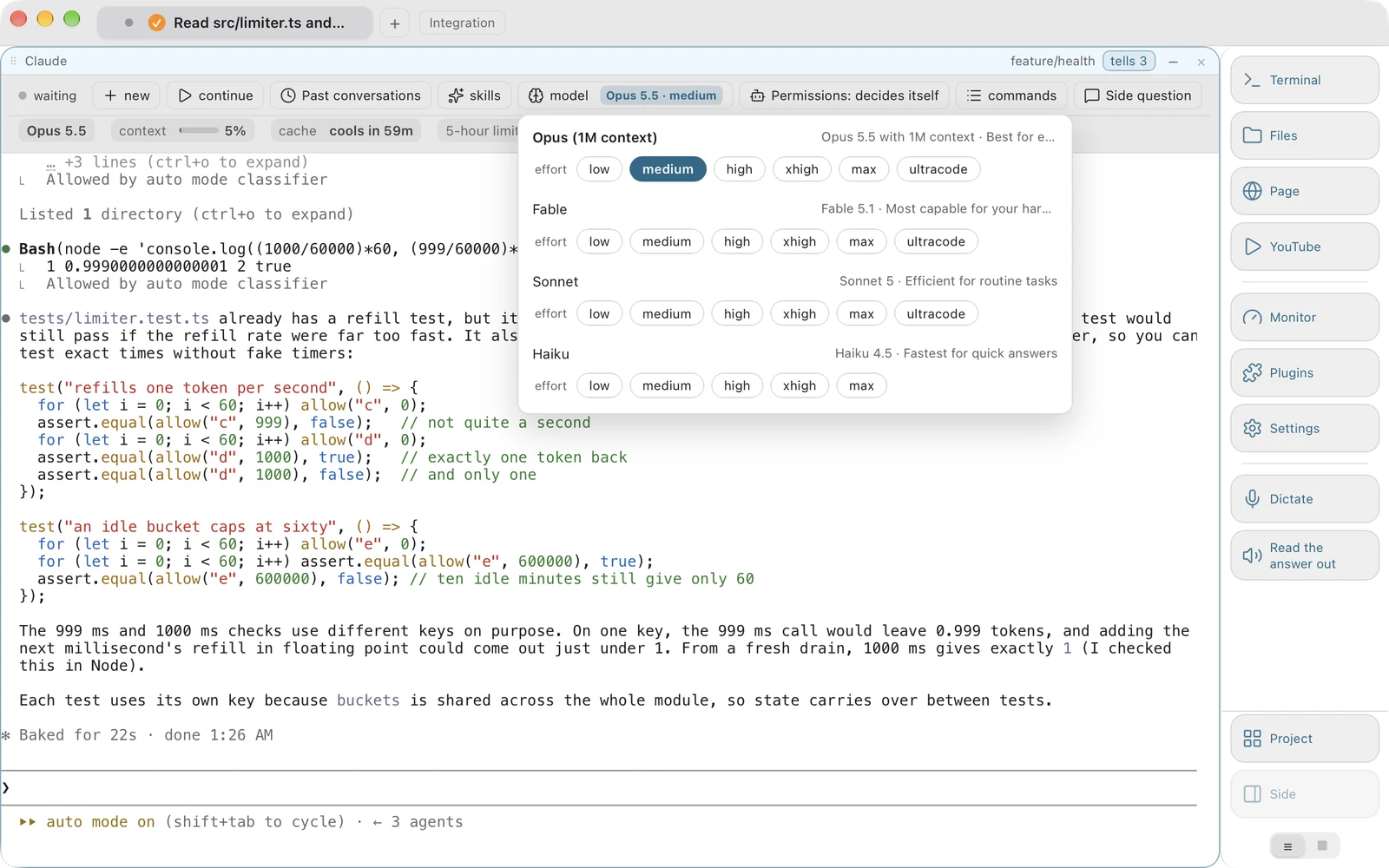
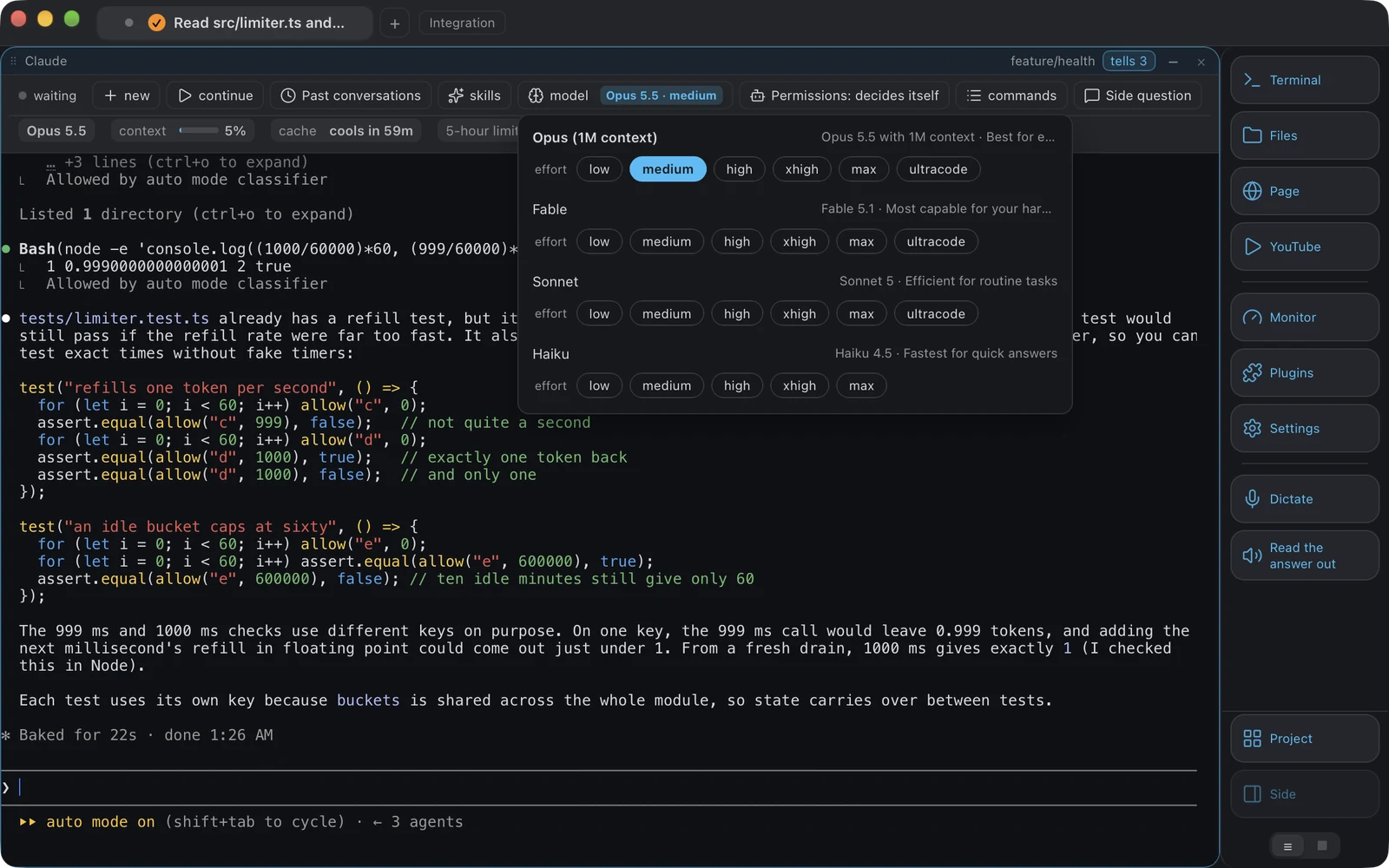
-
Whose agent is it
Warp builds and runs its own agent. Vobuda builds none: it hosts the Claude Code or Codex you already installed, with your skills, your memory, your MCP servers and your subscription, and adds a control bar that reads that installation's own sessions, models, effort levels and permission mode. When Anthropic or OpenAI ship something new, it appears in the menu the same day, because the menu is their list rather than ours.
-
The account
Warp asks you to sign in. Vobuda has no accounts at all, no sign-in, no sync of ours and no account server: there is nowhere for an account to live. Check Warp's own site for what its current terms and offline behaviour are, because that has changed more than once.
-
Where the configuration lives
In Vobuda every setting is a readable JSON file in ~/.config/vobuda, watched while the program runs, so saving the file redraws the window. Themes, looks, monitor skins, dock buttons, agent descriptions, shortcuts and projects are all files you can put in git and restore on another Mac from one archive.
-
What else is in the window
Vobuda also holds a system monitor with twelve kinds of panel, a file open beside the shell with colouring for 227 kinds, a web page as a block, dictation and reading aloud through the system's own on-device speech, and a quake window on a global key you choose. Those are things people otherwise open three more programs for.
Where your configuration lives
The shortest honest answer to this comparison. Both samples set the same four things: typeface, size, colours, transparency.
accent: '#5a7ffb'background: '#1e2029'foreground: '#c8d3f5'terminal_colors: normal: black: '#3b4261' blue: '#5a7ffb'{ "theme": "tokyo-night", "term": { "font": "JetBrains Mono", "fontSize": 13 }, "window": { "opacity": 0.96, "quakeKey": "cmd+`" }} # themes/, keys.json and skins/ sit beside it in the same# folder. Nothing about you is written anywhere else.Side by side
Read September 2026. Their own site is the authority on anything that has changed since.
| vobuda | Warp | |
|---|---|---|
| Platforms | macOS 10.15+, Linux | macOS, Linux, Windows |
| Source | Closed, free | Closed |
| Account | None | Sign-in; check their site for current terms |
| Price | Free for personal and commercial work | Free tier and paid plans; see their pricing page |
| AI agent | Hosts Claude Code, Codex or a local model and reads its state | Its own built-in agent |
| Configuration | Readable JSON files, hot-reloaded | Settings interface, with some files |
| System monitor | Twelve kinds of panel, arranged by a skin file | No |
| Editor beside the shell | 227 kinds of file, project search, several cursors | No |
| Speech | Dictation and reading aloud, on-device, on macOS | No |
| Interface languages | 40, with a guide in each | English |
Everything claimed about vobuda is checkable in the build on this site. See the whole field on one page.
Warp and vobuda, asked plainly
Is Warp terminal free?
Warp has a free tier and paid plans, and the terms have changed more than once, so their pricing page is the only reliable answer. Vobuda is free with no tiers, for personal and commercial work alike.
Does Warp require an account?
Warp asks you to sign in. Vobuda has no account system at all: there is no server of ours for an account to live on.
Is Vobuda a Warp clone?
No. The overlap is that both treat the terminal as an application rather than a museum piece. The premise is opposite: Warp builds the assistant, Vobuda refuses to build one and instead makes the assistant you already chose visible and controllable.
Can I use Claude Code in Warp?
You can run Claude Code in any terminal, Warp included, because it is a command-line program. What differs is whether the terminal reads its sessions, skills, models and permission mode and puts them on a bar.
Ten minutes is a better comparison than this page
It installs in one line, opens with a single terminal block and takes nothing from you.
curl -fsSL https://vobuda.com/install.sh | sh