Vobuda et Alacritty, face à face
Alacritty est le programme le plus honnête de cette comparaison : il annonce ce qu'il ne fera pas et s'y tient. Vobuda fait le pari inverse, et les deux paris se défendent.
Ce qu'Alacritty fait bien
Alacritty est léger, extrêmement rapide, multiplateforme et se configure avec un seul fichier TOML. Il n'a volontairement ni onglets ni splits, car sa position est que le gestionnaire de fenêtres ou un multiplexeur doit s'en charger, et qu'un terminal doit se contenter d'afficher du texte le plus vite possible sans s'interposer. C'est une position cohérente, tenue sans faillir depuis des années.
Associé à tmux, Alacritty forme une configuration que beaucoup de très bons ingénieurs utilisent avec satisfaction depuis dix ans, et rien sur cette page ne prétend qu'ils ont tort.
Ce qui distingue les deux
-
Des postulats opposés
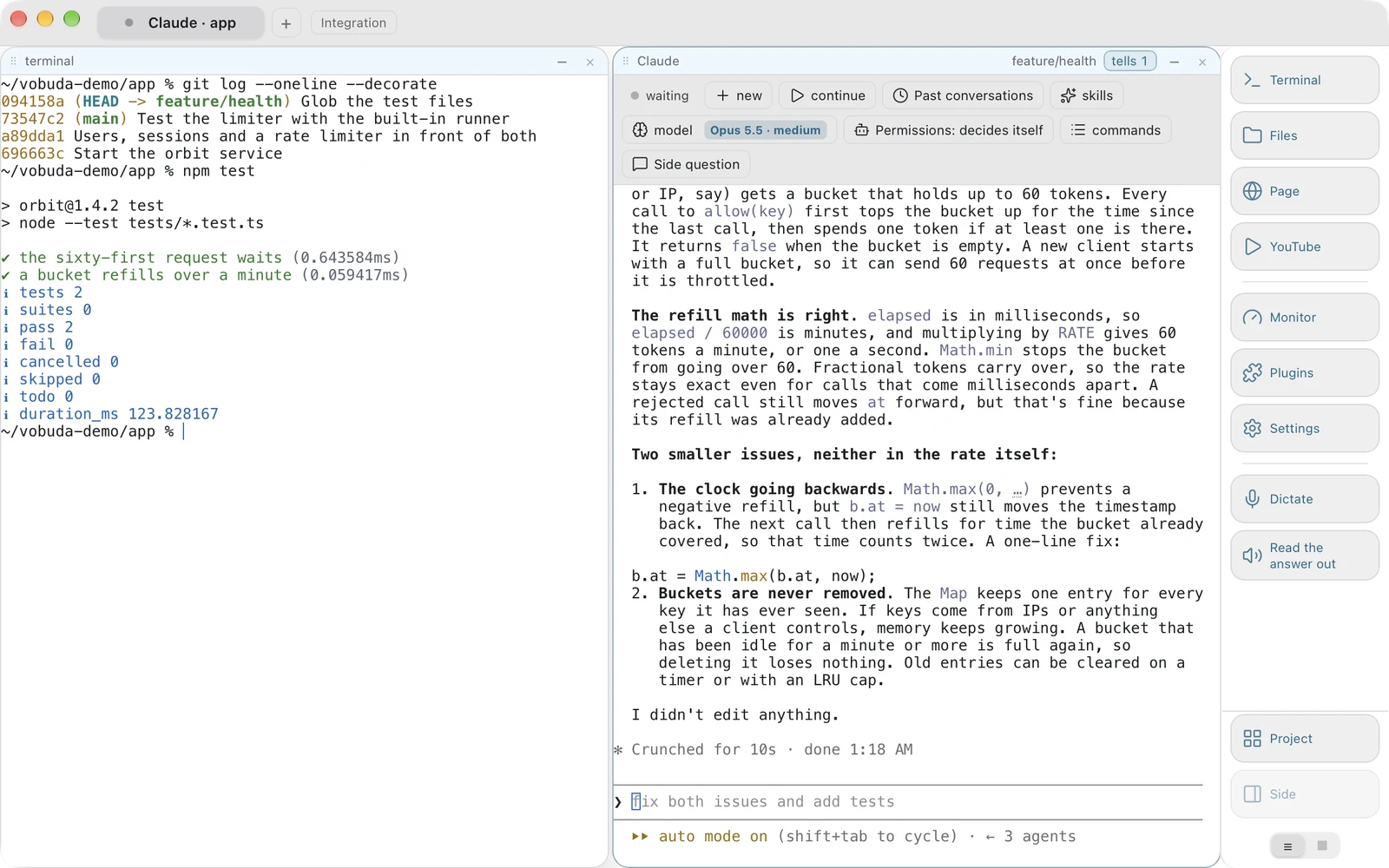
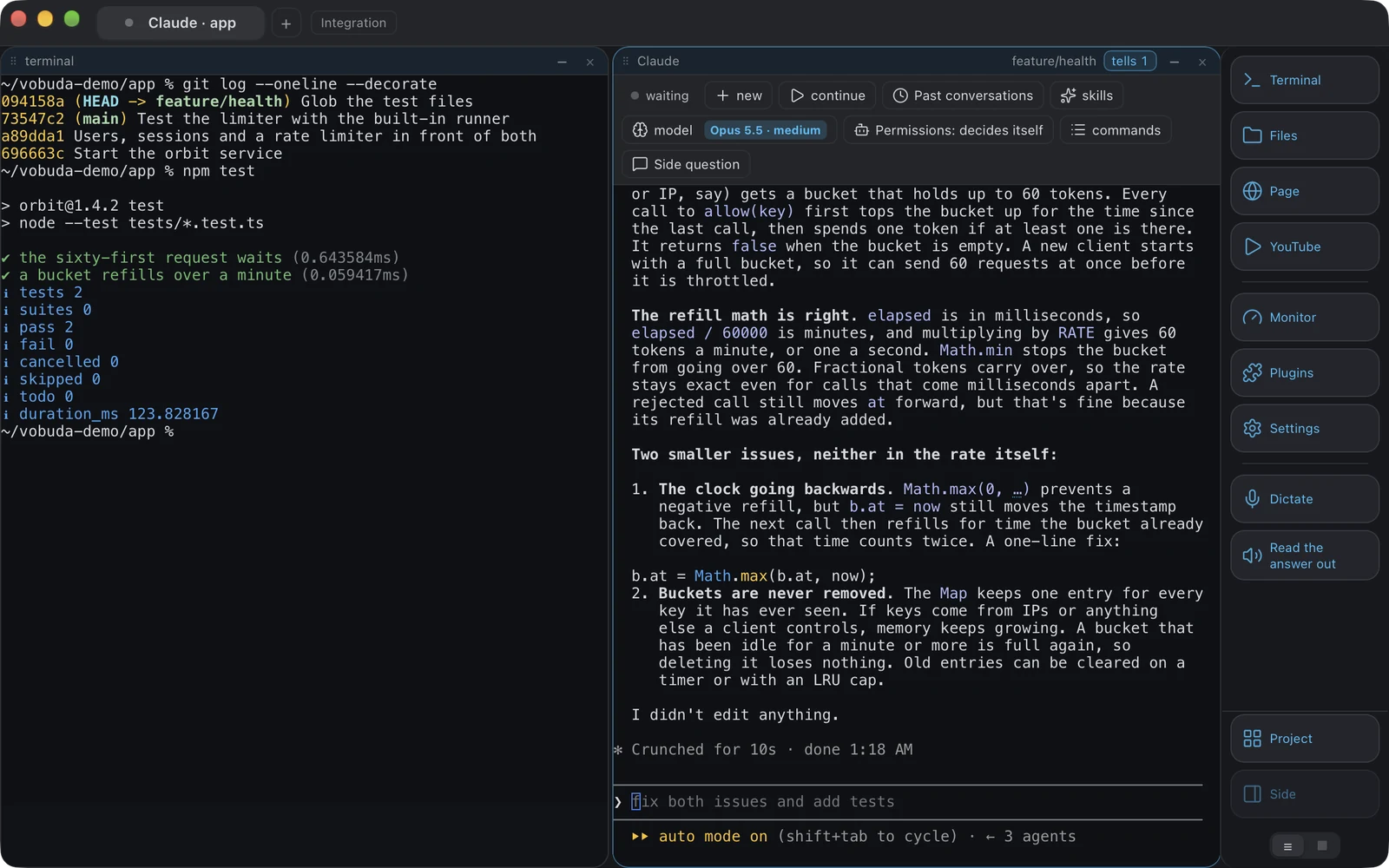
Alacritty affirme qu'un terminal doit afficher du texte et rien d'autre. Vobuda affirme qu'une fenêtre capable de contenir un bloc doit pouvoir contenir n'importe quel bloc : un terminal, un fichier en cours d'édition, le panneau de fichiers, une page web, une image, un PDF, un diff, le moniteur, les réglages, un greffon. Aucune des deux positions n'est une erreur ; ce sont des réponses à des questions différentes.
-
Avec tmux, vous avez déjà la moitié
Les panneaux, les onglets et les sessions persistantes viennent de tmux dans cette configuration. Ce que tmux ne peut pas vous offrir, c'est une barre de contrôle affichant le modèle, l'effort, le mode de permission, les sessions et les skills d'un agent en cours d'exécution, car tmux ne voit que du texte et rien d'autre.
-
Configuration
Un seul fichier TOML contre un dossier de fichiers JSON. Les deux vous appartiennent, les deux se comparent avec diff, les deux survivent à une réinstallation. Celle de Vobuda se recharge à chaud et peut aussi être modifiée via un écran de réglages qui écrit dans les mêmes fichiers.
-
Vitesse
Alacritty gagnera un test de débit brut. Vobuda dessine son texte avec xterm.js, avec le rendu GPU en option, et reste rapide en usage normal, mais il porte un moniteur, un éditeur et une barre d'agent, et prétendre que cela ne coûte rien serait malhonnête.
Où vit votre configuration
La réponse la plus courte et la plus honnête à cette comparaison. Les deux exemples règlent les mêmes quatre choses : police, taille, couleurs, transparence.
[font]normal = { family = "JetBrains Mono" }size = 13.0 [window]opacity = 0.96{ "theme": "tokyo-night", "term": { "font": "JetBrains Mono", "fontSize": 13 }, "window": { "opacity": 0.96, "quakeKey": "cmd+`" }} # themes/, keys.json et skins/ se trouvent à côté, dans le même# dossier. Rien vous concernant n'est écrit ailleurs.Côte à côte
Relevé en septembre 2026. Leur propre site fait autorité sur tout ce qui a changé depuis.
| vobuda | Alacritty | |
|---|---|---|
| Plateformes | macOS 10.15+, Linux | macOS, Linux, Windows, BSD |
| Source | Fermé, gratuit | Ouvert, Apache 2.0 |
| Compte | Aucun | Aucun |
| Configuration | Un dossier de JSON lisible, rechargé à chaud | Un seul fichier TOML |
| Onglets et splits | Des blocs qui se divisent, s'imbriquent et se déplacent entre onglets | Aucun, volontairement |
| Barre de contrôle d'agent | Oui | Non |
| Moniteur système | Douze types de panneaux | Non |
| Éditeur à côté du shell | 227 types de fichiers | Non |
| Langues de l'interface | 40, avec un guide pour chacune | Anglais |
Tout ce qui est affirmé sur vobuda est vérifiable dans la version disponible sur ce site. Voir tout le paysage sur une seule page.
Alacritty et vobuda, sans détour
Alacritty est-il plus rapide ?
En débit d'affichage brut, presque certainement. Il est conçu pour ça et ne porte rien d'autre.
Puis-je utiliser tmux dans Vobuda ?
Oui, c'est un terminal et tmux est un programme. Vobuda n'a aucune intégration particulière avec tmux.
Pourquoi quitter Alacritty et tmux ?
Seulement pour la partie agent. Si votre journée consiste surtout à faire tourner un agent sur plusieurs projets, l'état que tmux ne peut pas voir est ce que Vobuda affiche à l'écran.
Dix minutes d'essai valent mieux que cette page
Il s'installe en une ligne, s'ouvre avec un seul bloc terminal et ne vous prend rien.
curl -fsSL https://vobuda.com/install.sh | sh